4

(Somehow I wasn't able to find any solution by googling, so I'm asking here.)

Win + Shift + Right / Left Arrow used to work correctly for me for a long time to swap my window to my second monitor quickly, but since a few months ago it started stretching the window across both monitors, making the shortcut useless for me. I can still manually drag a window with the mouse, but for my workflow I need to be able to switch back and forth fast. The problem happens with any application that has a maximized window.

I have a laptop with Windows 10 and a XP-Pen drawing tablet as my second monitor. Disconnecting and reconnecting the monitor or trying other monitors still keeps the problem.

DarkDiamond
  • 1,875
  • 11
  • 12
  • 19
Daptor
  • 41
  • 1
  • Sounds like there is other software installed on your computer that replaced these keys and performs these actions. – LPChip Jan 11 '21 at 13:02

2 Answers2

3

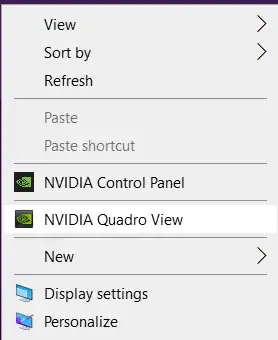
So NVIDIA does seem to be the common link here. However, instead of Quadro View which another person had responded above was the NVIDIA feature causing the issue for them. For me, it was NVIDIA Desktop Manager. I noticed the exact same issue of the Win + Shift + Right / Left shortcut stretching a window across all monitors instead of moving it, the exact same day I enabled NVIDIA desktop manager. As soon as I disabled it using the similar method the user who responded regarding Quadro View used, the issue was resolved. This process was to Right click, select NVIDIA Desktop Manager and select to disable it, and this solved the issue right away.

Rich L
  • 31
  • 2
2

It was happening to me too for the last 2 weeks. Today I just tried to turn off the Quadro view in NVIDIA Graphics. Could you please try it if you have the same graphics too?

Right-click on the desktop and select Quadro View

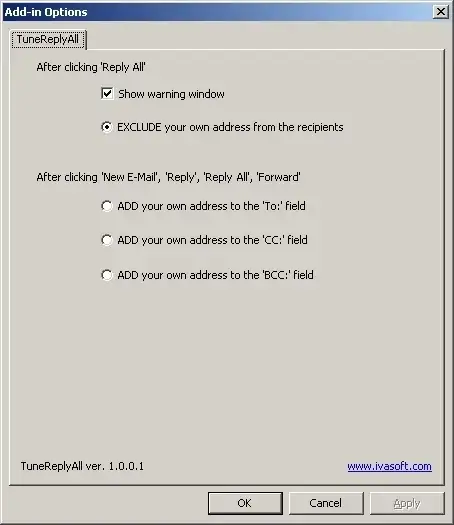
And then keep it disabled as shown in the screenshot:

Ramhound
  • 41,734
  • 35
  • 103
  • 130
  • 2
    As it’s currently written, your answer is unclear. Please [edit] to add additional details that will help others understand how this addresses the question asked. You can find more information on how to write good answers [in the help center](/help/how-to-answer). – Community Feb 03 '22 at 10:16