5

I'm having trouble connecting to my vpn so I think my wireless adapter drivers are corrupt. I've had this problem before on a previous laptop, and reinstalling the wireless adapters drivers helped, provided the driver was deleted from the computer and the latest version from the computer manufacturer's website was installed.

So I need to uninstall and DELETE my wireless driver from my computer. It should not reinstall itself when I restart.

I can't delete the driver software for a driver from my computer. The delete checkbox is missing.
delete driver software checkbox is missing

Below is the expected behaviour of what should appear.
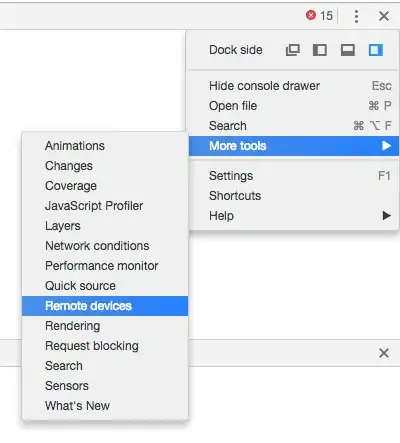
enter image description here

desbest
  • 858
  • 4
  • 19
  • 42
  • Have you tried finding the Atheros software in your Programs and Features dialog and uninstalling that? – music2myear Feb 20 '21 at 17:04
  • Are you an Administrator on this machine? – Ramhound Feb 20 '21 at 17:11
  • Yes I am the administrator. There is no Atheors driver in Programs and Features but there is a `Realtek PCI-E Wireless LAN Driver` – desbest Feb 20 '21 at 17:11
  • No I'm not trying to delete the VMWare driver. I'm trying to delete the Atheros driver. The second screenshot was a representative example. – desbest Feb 20 '21 at 17:13
  • @desbest - That’s the problem with using examples....my bad – Ramhound Feb 20 '21 at 17:14
  • Did you try just uninstalling from the screen you showed? Uninstall should remove the driver so you can install another. – John Feb 20 '21 at 17:17
  • When I click uninstall then click "scan for hardware changes" it installs again. On Windows if a driver is uninstalled, it's technically not truly uninstalled as the driver leaves traces on the computer, which can cause corrupt drivers if the driver is installed again, even if device manager states "this driver is working properly" in the properties window. So it's important that these traces of the driver is gone from the computer, to prevent corrupt drivers and the only way to do that, is to also delete the driver, hence why I want the checkbox to be visible. – desbest Feb 20 '21 at 17:21
  • It may be installing from the Microsoft Catalog. I have been stabbed by this before and had to wait for newer driver software. – John Feb 20 '21 at 17:26
  • It's not installing from Microsoft Catalog because it still re-installs the driver when flight mode is on. – desbest Feb 20 '21 at 17:35
  • 2
    I am going to guess you are running Windows 10 version 2004 or 20H2. Microsoft changed how drivers are managed in newer revisions of Windows. This basically means drivers cannot be managed by device manager. The option to delete the driver will not be offered when it’s a built-in driver. We would need to know details of the driver to determine a solution – Ramhound Feb 20 '21 at 18:01
  • @desbest - Drivers are now installed through Windows Update. What exactly is “flight mode on” you mean airplane mode? – Ramhound Feb 20 '21 at 19:10
  • Yes that's what I meant, it's the same thing. Windows 10 however uses the term flight mode. – desbest Feb 20 '21 at 19:11
  • This might be a translation issue, official documentation, calls it airplane mode (nearly every OS in existence calls it that). Check the Windows Update history for recent driver installs of that device in question. – Ramhound Feb 20 '21 at 19:26

1 Answers1

5

Please create a System Restore save point before doing any of the advice from below, to be able to rollback to your current state in case of a problem.

The free Driver Store Explorer can help to delete drivers:

  • Run as Administrator
  • Click on Enumerate
  • Find the driver in the list and check-mark to select
  • Select "Force deletion" and click on "Delete Package".

If Windows still updates the driver on reboot, you may prevent this by the method in this answer before using Driver Store Explorer. You could also try to immediately install your driver after running Driver Store Explorer.

harrymc
  • 455,459
  • 31
  • 526
  • 924