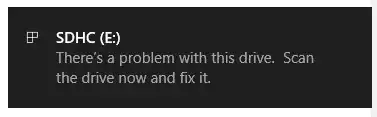
I have a MicroSDHC SanDisk Ultra (Red Grey) with 10 Speed Class, UHS-I Bus Interface, and 16GB Size Storage. I put this on the SanDisk Adapter to connect it on PC (Windows 10) and it is readable. But there is a popup message "There's a problem with this drive, scan the drive now and fix it",
and I go for "Scan and Fix (Recommended)"
then "Repair this Drive" but it said theres no error
I was trying to format it via CMD, PowerShell, a lot of Third Party Tools, and SD Card Formatter by sdcard.org official SDA Foundation. But the result is always same, that is this drive cannot be formatted, or failed.
The SDHC can be read, also some files can be copied to my PC Drive, and some aren't. If I delete the folder or files inside of it, it will get deleted, but it will appear again after I re-plug the SDHC card.
Is there any way to Format this microSDHC card?

