Sometimes I like to get a screen grab of a web page or application so that I can edit it for UI design purposes. Is there a way of getting a screen grab of the entire page (including ares which you'd have to scroll down in order to see) so I don't have to do two or more screen grabs and stitch them together?
Asked
Active
Viewed 1.6k times
5

Ivo Flipse
- 24,696
- 32
- 103
- 147

Matthew Dresser
- 434
- 4
- 10
- 18
-
1duplicate from http://superuser.com/questions/254/screenshot-utilities-for-windows and http://superuser.com/questions/254/screenshot-utilities-for-windows – Ivo Flipse Aug 04 '09 at 08:52
-
3Not duplicate unless those capture HTML generated beyond a browser window. – hyperslug Aug 04 '09 at 08:57
5 Answers
6
For web pages there is a great add on called Screengrab! that allows you to capture an entire portion of a web page. I use it all the time for this kind of thing.

Excellll
- 12,627
- 11
- 51
- 78

Sam Becker
- 2,152
- 3
- 19
- 27
4
Try http://aviary.com/launch/talon. You'll have to set it at high quality if you're doing any kind of graphics work. If you have to log in somewhere or you're accessing something on an intranet, it probably won't work.
Here's another one that installs locally: Fireshot. It works for Firefox and IE. Here's a sample screenshot of SuperUser, click for hi-res:



-
+1 for FireShot. I'd say Talon is overkill, though, unless you use the Aviary suite. – Sasha Chedygov Aug 27 '09 at 07:32
-
+1 for fireshot... please list separate suggestions, well, separately, so they get voted on appropriately. – ericslaw Sep 03 '09 at 19:06
1
The free version of FastStone Capture will do this.
See answer to this question - What’s the best Free alternative to SnagIt (Screenshot capture program)?.


0
I use FastStone Capture all the time and I really like it, but I can't seem to use it in Linux and wonder if there is an alternative as I haven't found it yet.
-1
This question is a duplicate of both:
Best answers:
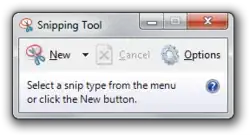
Snipping Tool for Vista and Windows 7
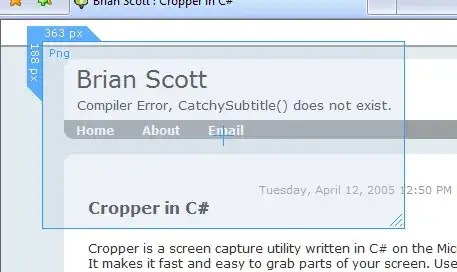
or
Snagit (not free!)
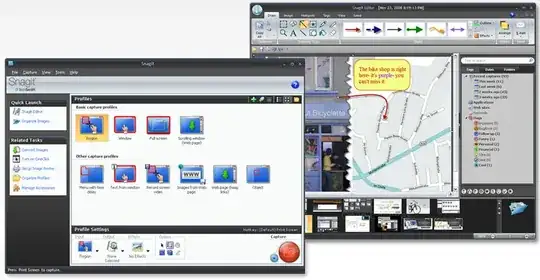
Ivo Flipse
- 24,696
- 32
- 103
- 147
-
1Its not a "duplicate" ... those other questions do not particularly enquire about off-screen images. – Nippysaurus Aug 28 '09 at 07:04
-
-
actually, it does, Snipping tool didn't work for me because I can't scroll during the snipping – Eduardo Wada Mar 01 '16 at 12:31