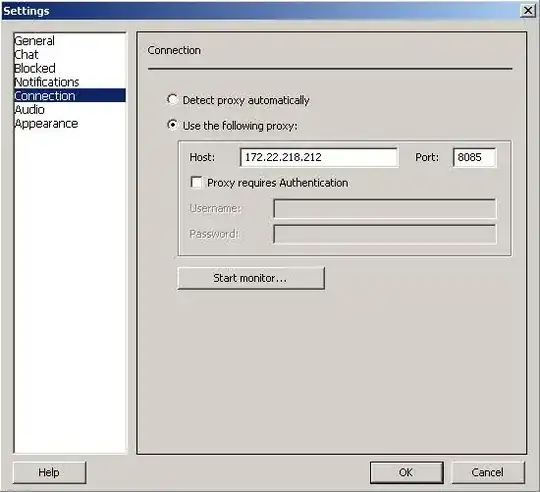
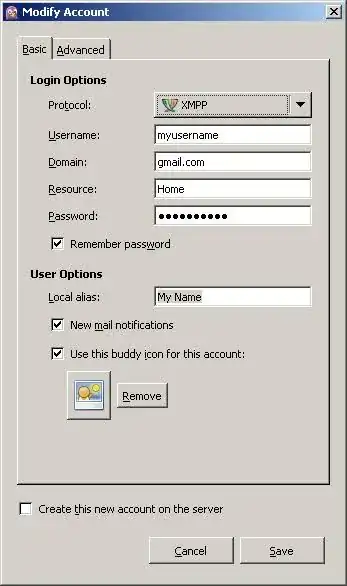
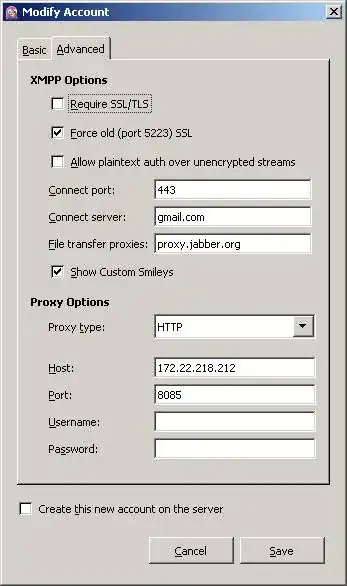
The basics are from Google Answer to Configuring Pidgin for Google Talk.
They seem fine.
Beyond that,
- Change your
Connect server to talk.google.com
You have been told in other answers to do this,
but your question image does not reflect that correction
- Check connectivity through proxy with
telnet talk.google.com 8085
This should get a Connected to line and a Escape character is line usually.
The TCP connect will happen and then get closed since TELNET will not talk gtalk.
This will confirm the proxy worked to get you through to Google talk server.
- Do these two tries separately to see if one of them works,
- Keep the "
Force old SSL" and "Allow plain text Auth" both unchecked
- Keep them both checked -- to see if that works
Update from comment,
When you try telnet talk.google.com 8080,
TELNET connecting and getting closed is a good sign,
like I said, that is expected, TELNET cannot talk with the gtalk server.
It can only do the initial 3-way TCP handshake
- Telnet: Hello, this is me (SYN);
- talk.google: Hi there, good to see you (SYN-ACK),
- Telnet: Oh, you are around, lets talk (ACK)
- then, TELNET does not know the language to go further :-)
- but, Pidgin does, and can continue from there...
If you find 8085 does not connect with TELNET and 8080 does,
then, 8080 is very likely the correct proxy port.
(8080 is more commonly used for proxies too).
Have you verified 8085 is declared as the proxy port in your network?
It would be very surprising to find talk.google.com
connect arbitrarily through port 8080 for any other reason,
while, 8085 shows a timeout.
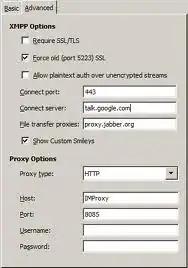
On your updated question with gtalk configuration.
Something is not correct here.
- How can your
gtalk work for destination port 8085 when you cannot even TELNET to that port?
- And, Why can you
TELNET to 8080 (successful connection, though, it closes after that)
but then, Pidgin cannot even connect?
You should probably check with netstat, TCPView or maybe wireshark
to see what happens to your connection attempts here.