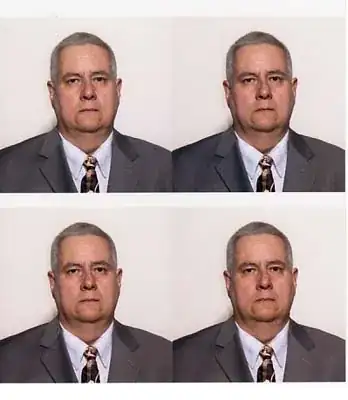
Cropping passport pictures automatically sounds definitely doable. Fixed lighting conditions, always facing forward, consistent image format... I don't think one could ask for more favorable conditions for face detection.
I tried to use facedetect to see the results on your sample image:
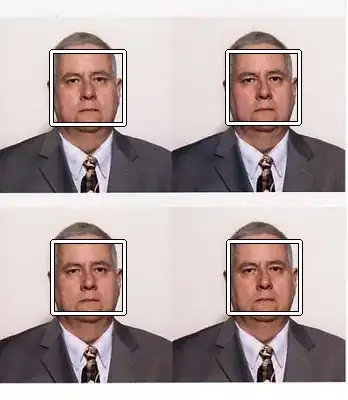
Passports come in different formats and sizes, so they will be packed on the flatbed of the scanner irregularly, but I assume you will place the pictures always upright. facedetect will give us the centers and size of all the faces. In particular, we can use the size of the face and crop the area around it proportionally. Since passport pictures tend to cover a fixed area of the photograph, it seems to be a relatively safe assumption.
Cropping subregions of an image is really easy using ImageMagick. I wrote a little (and rough) shell script to automate the process:
#!/bin/sh
pc=60
files="P1Xb8.jpg"

fileno=1
for file in $files; do
  n=1
  facedetect $file | while read x y w h; do
    border=$(($w * $pc / 100))
    x=$(($x - $border))
    y=$(($y - $border))
    w=$(($w + $border * 2))
    h=$(($h + $border * 2))
    echo $x $y $w $h
    convert "$file" -gravity NorthWest -crop "${w}x${h}+$x+$y" "${fileno}_$n.jpg"
    n=$(($n + 1))
  done
  fileno=$(($fileno + 1))
done
I empirically defined a border area of 60% (in the second line of the script) of the width of the detected face. These are the four images I get:
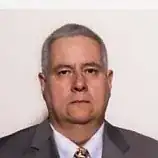
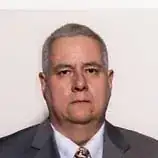
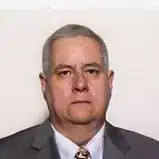
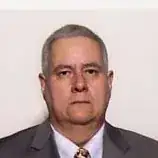
which is already pretty good. There's always some white space left at the top, which I was able to remove by just adding "-fuzz 10% -trim" in the convert invocation. Here's the result of the first image after that:
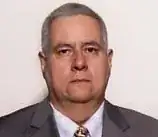
Not too shabby for a quick script, and there's plenty of room for improvement. For instance, most passports use a portrait orientation, so having a different vertical/horizontal factor (usually 1.3). Also, faces tend to be slightly moved upward (by 1.3 probably). Correcting for those would result in a better crop, avoiding the need of trimming the white space at the top entirely.
It would be nice if you could post (even privately) a sample flatbed scan to test this script against some real output.
Of course, this suggestion requires a Linux installation. But if I understand correctly, it's not entirely unreasonable to setup a dedicated installation or even a virtual machine to automate this tedious task.
If privacy is not an issue (but I doubt), I would actually be interested helping writing a decent solution in exchange for the cropped faces, which I would use to improve the face detection model.