Is there a Chrome (browser) extension like FireFTP from Firefox?
I've tried to find it without success
Is there a Chrome (browser) extension like FireFTP from Firefox?
I've tried to find it without success


Before you answer the question, you must know what FireFTP is!
FireFTP doesn't need to access any external website, FireFTP, similarly to FileZilla, directly accesses your FTP Server using Firefox. FireFTP has 2 panels like Norton Commander.
In short, there is no app like FireFTP in Chrome! Sadly, but it's true at the moment I'm writing this.
NOTE: That's why many users still use Firefox because FireFTP is very helpful!!!


An alternative might be to use a 3rd party website such as http://www.net2ftp.com
Again, not hugely exciting. Both the obvious looking "FTP" chrome extensions (Chrome FTP & FTP Client) are pretty poor, but you never know, YMMV.

I have put together a site using the net2ftp script that works pretty well. I put it behind and SSL so it is also secure.
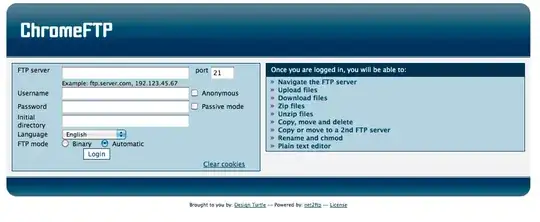


Yeah, slim pickings, I'm afraid.
You can use Chrome's built-in FTP client, but it's pretty basic. eg: ftp://anonymous:password@ftp.redhat.com/redhat/linux/
(You can skip the "username:password@" prefix and Chrome will prompt you for them instead.)
You just open a new tab or window and write your FTP address. It will then ask for the user and password details. You don't need to download any program or extension.

