27

I have a blog, and sometimes I'd like to show my readers something specific about computers.

I've seen a lot of screen recording software, but all seem to save as video files.

Do any save as an animated GIF? I know how to transform a small video into a .gif, but I believe that I could make a smaller file if the .gif was created directly.

I'd like to be able to make something like this (from Codinghorror's "Invisible Formatting Tags are Evil"):
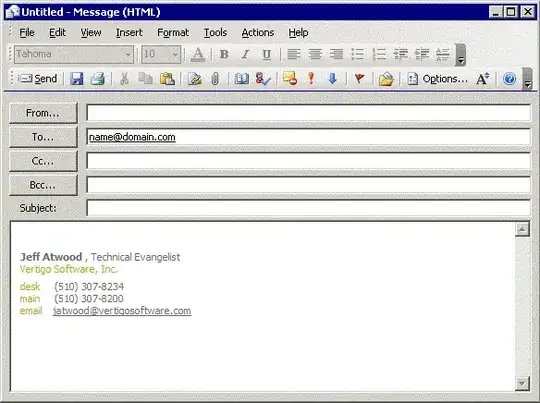
alt text

Franck Dernoncourt
  • 20,384
  • 48
  • 186
  • 322
Manu
  • 2,981
  • 9
  • 50
  • 73

3 Answers3

14

Camtasia. If you scroll down, in the comments Jeff says:

Please, tell what tool you did use to make that kind of gif-based animated demo ?

In this case, it's Camtasia, but I've used gif-gif-gif before for similar effects. Check out the Donation Coder roundup of screencasting tools for more options:

http://www.donationcoder.com/Reviews/Archive/ScreenCasting/

Jeff Atwood on May 9, 2006 9:02 AM

James Skemp
  • 547
  • 3
  • 6
  • 21
hyperslug
  • 13,668
  • 4
  • 49
  • 62
7

To capture screen shots I find Cropper is very good (and it is free). Animated GIF support is available in the Cropper Plugins.

Robert MacLean
  • 1,649
  • 2
  • 16
  • 28
1

When I have done this in the past, I always would do it in a two stage process. The easiest way to do this is use an application that records the video you want to convert into a GIF and then the second part of the process is to convert the video into a GIF image.

There are good desktop/screen capture utils however I recommend either Capture Fox

Animake will convert an mpg video into a GIF file.

Robert MacLean
  • 1,649
  • 2
  • 16
  • 28
Axxmasterr
  • 7,858
  • 7
  • 41
  • 60