I have a list of values in excel/notepad that I'd like to use as the values for a Infopath drop down. Is there a way I can bulk add them rather than adding one at a time?
Asked
Active
Viewed 1.1k times

1 Answers
3
The easiest way to do this is to convert your list into an xml file. You could do this easily by:
- open your list in excel in column A
- in column B use for formula
=CONCATENATE("<item>",A1,"</item>")and fill it down for each item on your list. This creates a column that has each item wrapped in<item>tags. Copy this column into an xml file and put
<items>at the top and at the bottom. The text file should now look like this:<items>
<item>item1</item>
<item>item2</item>
<item>item3</item>
<item>item4</item>
<item>item5</item>
<item>item6</item>
<items>Save the text file as "items.xml"
- In infopath, specify 'look up values from external data source' and add the xml file as an external data source included in the form.
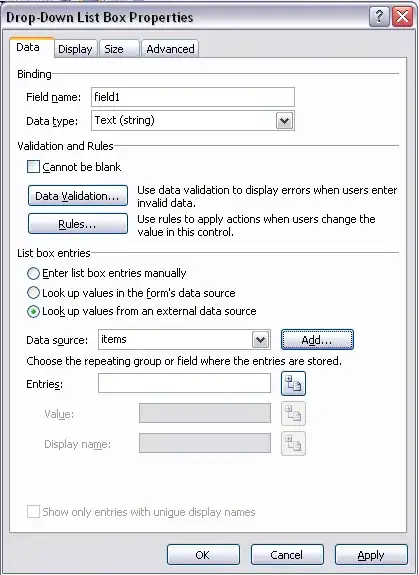
- select the "item" tag as the repeating field
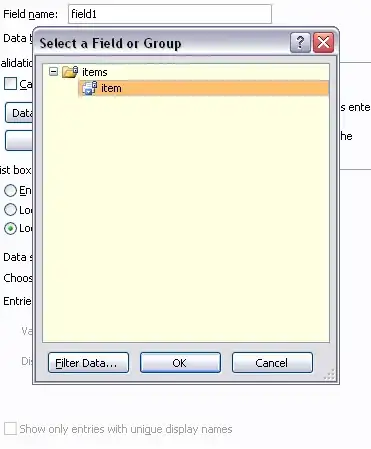
- then you're done. to add/edit items in the dropdown list, just edit the xml file. works for any number of items.

xdumaine
- 2,299
- 4
- 22
- 35
-
Thanks! I figured this out a while ago, but forgot to post it here. – C. Ross Mar 11 '11 at 20:40