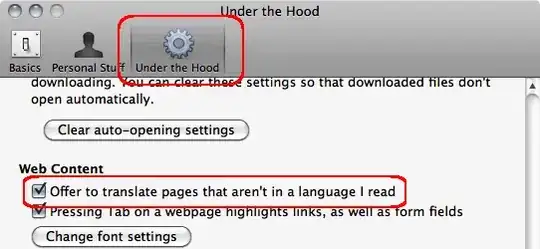
If I visit a page that isn't in my native language, how can I make Google Chrome translate it automatically for me into my native language?
Do I need to change any settings, if so where can I find them?
If I visit a page that isn't in my native language, how can I make Google Chrome translate it automatically for me into my native language?
Do I need to change any settings, if so where can I find them?


If you have already chosen "Don't translate this page", the prompt won't come up.
You can right-click and there should be a translation option available.

You may have to check the translation bar that drops down to make sure the source language is correct.

When you visit a page in Chrome where the language doesn't match your locale, Chrome will prompt you to translate the page content:
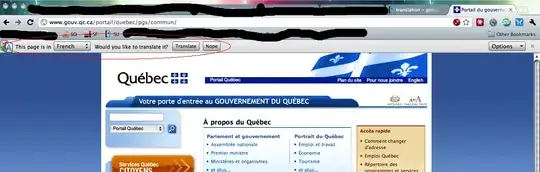
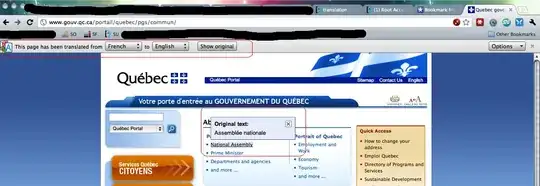
As you can see, my locale is English, and when I visit this page in French, Chrome offers to translate the content for me. When I click the Translate button, it will perform an inline translation of the content, and allow you to hover over a word or phrase and see the original content:
If this doesn't happen automatically, make sure that in Chrome's preferences, the option to automatically translate is selected.