5

I installed bash 4.0 via MacPorts, then used sudo chsh -s /opt/local/bin/bash my_user to change my shell.

Before that I tried just running plain chsh without sudo, but it wouldn't allow me to change my shell to that path.

Now when I try to start Terminal I'm getting a message that my shell has an illegal value, so Terminal won't start. I click Quit, and, unsurprisingly but annoyingly, it quits immediately.
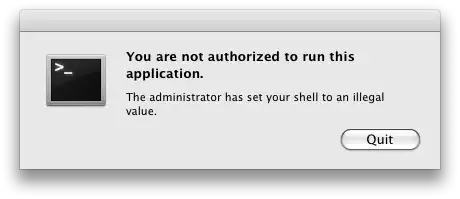
lame terminal

  1. How do I reset my shell so I can start Terminal again?
  2. How do I set my shell to bash installed via MacPorts in a way that it'll work?
  3. Why does Terminal think my shell is illegal anyway? Is it siding with the neo-prohibitionists?

Mac OS X 10.5.8. Everything super mega up-to-date.

Gaff
  • 18,569
  • 15
  • 57
  • 68
kch
  • 2,162
  • 4
  • 23
  • 32

4 Answers4

14

Another method to change your shell (akin to the chsh command but using a GUI) for your user profile is to do the following:

  1. Open System Preferences.app
  2. Go to the Accounts Preference Pane
  3. If required unlock the padlock
  4. Hold control and click or right click on your account in the list of accounts.
  5. Choose Advanced Options...
  6. Change the value where it says Login shell: to the path to the bash shell you want to use.

I would recommend resetting it back to /bin/bash and then in the Terminal ensure that /opt/local/bin/bash works correctly by running /opt/local/bin/bash before attempting to change it again.

As to why it was saying you weren't allowed is that Mac OS X keeps a list of "allowed" shells in /etc/shells/ so you'll need to edit that file and add /opt/local/bin/bash to that list as well.

Chealion
  • 25,408
  • 8
  • 67
  • 75
  • I forgot I'd changed my bash shell to one from homebrew. it just got borked and I couldn't get in to fix it until I found this reply. Thanks for the save! – Joseph Sheedy Oct 22 '16 at 00:17
  • 1
    Your awesome. Thanks for that fix. Tried to change to bash 4.0 and it broke all my shells. – djangofan Feb 17 '18 at 22:22
  • oh thank you so much for this. Homebrew got borked, so I uninstalled it to reinstall it, but I was using fish (installed from brew) as my shell... – sevenseacat May 04 '20 at 15:36
6

The problem here is the /etc/shells file. This file contains a list of all shells that are allowed to be used as login shells. If you want to use the MacPorts-installed bash, you should edit this file to include the path to that particular shell.

Lily Ballard
  • 306
  • 3
  • 5
1

I got the same issue after update to Lion.

You should look in the /etc you may find a file like shells~orig and shells. Restore the shells~orig to shells.

Good luck.

oko
  • 11
  • 1
0

Open ~/Library/Preferences/com.apple.Terminal.plist and set the "Shell" key to "/bin/bash", then retry opening Terminal. If this doesn't work, X11.app may be able to open a terminal. Otherwise you'll be stuck making a new user with admin privs and reset your shell there.

Make sure /opt/local/bin/bash is executable by running it in Terminal. If not:

chmod +x /opt/local/bin/bash

Also, /opt/local/bin/bash should be a line in /etc/shells.

ACoolie
  • 829
  • 6
  • 3
  • 1
    There's no Shell key in Terminal's plist. X11 opens xterm with an usable session. From there I `sudo vim /etc/shells`, added the line for MacPorts' bash. After that I was able to open Terminal again. `/opt/local/bash` was already 755. – kch Aug 15 '09 at 22:45
  • 1
    So, I'm accepting your answer, but if you could please edit it to reflect my notes from the previous comments… Especially the part where the plist file doesn't have the Shell key. – kch Aug 15 '09 at 22:46
  • 1
    And I guess for someone who doesn't have X11 (I guess it's an optional install, right?), one could still boot into single user mode, mount for rw, and edit `/etc/shells`. – kch Aug 15 '09 at 22:47
  • The Shell key will be empty or will not exist if you have "default login shell" selected in preferences. You should add an item named "Shell" with type "String" and value "/bin/bash" – ACoolie Aug 15 '09 at 23:25
  • This answer may be out of date. I am running Big Sur and there is no `com.apple.Terminal.plist` in that location. – reelyard Jun 03 '21 at 16:05