0
$ rpm -qa | grep -i "^thunderbird"
thunderbird-enigmail-1.1.2-1.fc14.i686
thunderbird-3.1.7-2.fc14.i686
$ lsb_release -a
LSB Version: :core-4.0-ia32:core-4.0-noarch
Distributor ID: Fedora
Description: Fedora release 14 (Laughlin)
Release: 14
Codename: Laughlin
$

I exported all my contacts from Gmail in Outlook csv format. Then I opened the "Address book" in Thunderbird, and imported them:
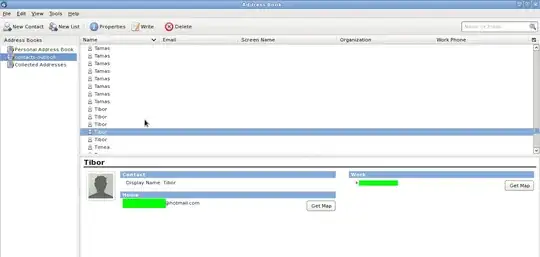
enter image description here

What am I missing? Is there no way* to import contacts from Gmail to Thunderbird with mouse clicking only?

Do I have to write a script that modifies the .csv file, so that it could be imported in Thunderbird?

Gaff
  • 18,569
  • 15
  • 57
  • 68
LanceBaynes
  • 3,960
  • 23
  • 63
  • 92
  • 1
    I suggest you either make this clearly a programming question (e.g. show us the csv format from Gmail and the one Thunderbird exports) or ask this on SuperUser: http://superuser.com/ – TryPyPy Jan 19 '11 at 11:08
  • Can you show us the format of the csv file? Take a screenshot of it in Open Office or something please. – Steve Jan 20 '11 at 08:31
  • May be this addon will help [link](http://superuser.com/questions/111882/how-to-sync-thunderbird-contacts-with-gmail-contacts) – Dmitriy Apr 13 '11 at 15:01

1 Answers1

0

Rather than doing a one time load of the contacts like that it may be better, unless you're going to stop using gmail completely, to use the Zindus extension to Thunderbird to keep the two synchronised automatically.

TomH
  • 3,094
  • 17
  • 16