I've upgraded to Firefox 4 and the RSS feed button was removed from the address bar! How do I get it back?
Asked
Active
Viewed 1,048 times

3 Answers
18
Right-click the toolbar and select Customize. A Subscribe icon should be available. Drag it to the desired location on the toolbar, and then select Done to close the Customize Toolbar window.

sourcenouveau
- 3,566
- 3
- 31
- 37
-
Doesn't really jive with the minimalist look of FF4, but at least it grays-out when no feed is available! – sourcenouveau Mar 25 '11 at 00:10
-
Yes, it works. Thanks for that. And without relying on any third-party stuff. – Peter Mortensen Sep 25 '17 at 18:01
13
RSS Icon In Awesombar - Mozilla Addons.
Add RSS icon back into location bar (URL) in Firefox 4.0. This icon was showed in Firefox 3.5/3.6 by default when page offered feeds.
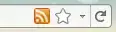
Note: I am not in any way, shape, or form affiliated with this addon/software.

studiohack
- 13,468
- 19
- 88
- 118
0
You can also use https://addons.mozilla.org/en-us/firefox/addon/rss-icon/
which uses a new look. (Sorry no image here, since I'm new)
Another user reported, that this addon seems buggy, so:
Instead use this: https://addons.mozilla.org/en-us/firefox/addon/rss-icon-in-awesombar/ as the last user already recommended.
Note: I am not in any way, shape, or form affiliated with this addon/software.

JackDMF
- 46
- 5