3

How can I create a desktop shortcut to a printer's queue on Windows 7 Home Premium 64 bit?

Thanks.

For any future searchers, what worked for me is a little different from what's in the accepted answer, so I added it in the comments for the accepted answer.

edusysadmin
  • 2,218
  • 12
  • 12
CChriss
  • 1,283
  • 4
  • 20
  • 28

1 Answers1

2

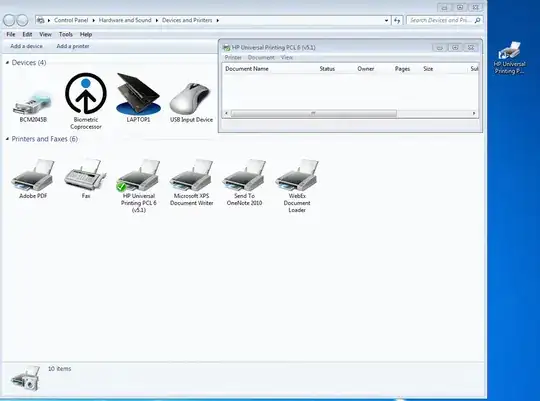
Just open Devices and Printers, Right-click the printer, and click "Create shortcut".

It will put the shortcut on your desktop and you can then move it wherever you want.

You can see the one I created, and opened by clicking the shortcut to the right in this screenshot:

enter image description here

KCotreau
  • 25,519
  • 5
  • 48
  • 72
  • 1
    I was just coming to delete this question. I did it by dragging the See What's Printing button to the desktop. When I did what you were saying, the shortcut opened printer's main page and I still had to click on "See what's printing" or "Printer:ready" to see the queue. But, thanks just the same. – CChriss Aug 01 '11 at 23:48