22

I have a few games that don't offer window mode in the options.

Is there any way to force the games to play in window mode instead of fullscreen?

Going to .exe's properties checking the compability doesn't help either.

Any ideas on what I can do to fix this?

Journeyman Geek
  • 127,463
  • 52
  • 260
  • 430
Chris0089
  • 633
  • 5
  • 16
  • 23
  • I forgot to mention I'm running Windows 7 Ultimate x86 – Chris0089 Aug 03 '11 at 22:05
  • I found this program: 3d analyze. It forced CivRome into window mode (which was impossible wich dxwnd). however this window couldnt be placed to another position. Then I found another nice software: Windows Sniper - it's a shareware, it allows to change the window position and even its size. –  May 01 '12 at 07:21
  • @zeedo, from [the description](http://www.unhuman.com/software.html), it seems that Windows Sniper is meant to simply automate resizing of already *re-sizable* windows like browsers, folders, etc. that is, windows that you can already resize manually. It wouldn’t have an effect (at least not the desired one) on things like fullscreen games. – Synetech Oct 01 '12 at 00:53

4 Answers4

18

Perhaps not surprisingly, it depends entirely on the game(s). A solution that works for one game may not work for another, so you’ll have to see what works for whichever games you want to force windowed.

  • Some games natively support a windowed mode

    • Through the options menu
    • An in-game window-restore button (enter image description here)
    • Via a command-line option (e.g., -window)
    • Via the Alt+Enter hotkey
    • By editing a configuration file
    • etc.
  • Running it in a virtual-machine (DOSBox, VirtualBox, VMWare, VirtualPC, etc.) may be a practical solution depending on the game and what kind of performance profile it has.

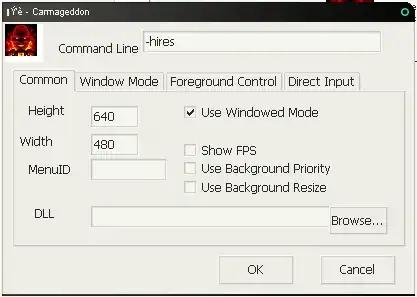
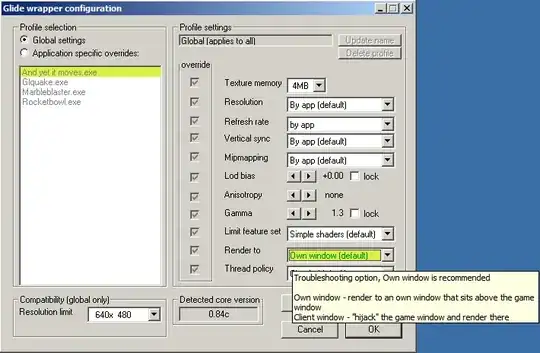
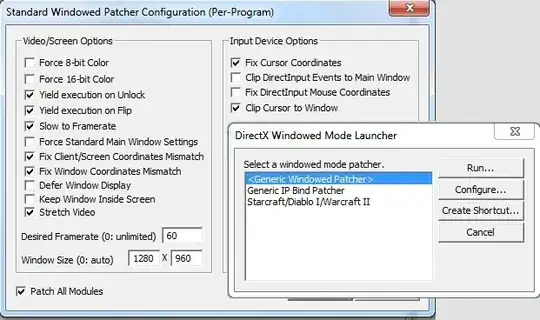
  • Another option is to run the game with a graphics emulator/wrapper that intercepts calls to DirectX/OpenGL/Glide/etc.

Synetech
  • 68,243
  • 36
  • 223
  • 356
0

Only thing I can think of is running the games in a Virtual Machine. The VM can be windowed and therefore full screens games inside the VM will appear windowed on your host PC.

You will however probably take a performance hit, especially if it is newer games you're looking at.

Windos
  • 11,061
  • 4
  • 38
  • 56
0

You should check in the program folders for the settings.ini files or similar. I often find a line in the that says fullscreen = 1.

Just change that to a 0 and you should be in windowed mode.

Seth Hikari
  • 241
  • 1
  • 2
  • 10
  • I did happen to find it's config file, this is what I found. http://pastebin.com/eXFANXKx Any ideas on what I should change to force my game into window mode? – Chris0089 Aug 04 '11 at 00:13
  • change this `globalwindowed=0` to `globalwindowed=1` just means set it to true – Seth Hikari Aug 04 '11 at 00:41
  • I figured that out... but the window is too tall/big for my laptop screen. Is there any possible way to resize the window and make it smaller? I can't seem to figure out that config file to resize and make the game window smaller. :( – Chris0089 Aug 05 '11 at 04:14
  • in game set the resolution to less then 1200 x what ever should do it – Seth Hikari Aug 08 '11 at 00:35
0
  1. Find the shortcut for the computer game you want to play in windowed mode instead of full screen.
  2. Right click on the shortcut and select Properties.
  3. In the Target field, add -window at the end.
  4. Click OK.

Alternatively, press Alt+Enter while in game. If running Windows 7, right-click on the game shortcut and run it as administrator.

Ben N
  • 40,045
  • 17
  • 140
  • 181
Mack145
  • 59
  • 1
  • 3