8

I have recently bought a Sony Bravia 40EX520.

To watch videos on it I need to copy them to a USB drive, which is a time-consuming process.

As there is connectivity of LAN for the TV, can I watch the videos directly if they are shared on a computer within the LAN?

slhck
  • 223,558
  • 70
  • 607
  • 592
Sandeep
  • 133
  • 1
  • 2
  • 11

3 Answers3

6

Your TV seems to access media over DLNA, a technology which allows you to stream media over the network. In order to have access to the videos, your computer needs to become a DLNA server, which the TV should detect automatically, once they are in the same network.

Step 1 – Install a DLNA server on your PC

You didn't specify your operating system, and there are many DLNA servers for Windows alone. That being said, I personally use TVMobili. It is freely available for almost all platforms and seems to support a large number of media formats and client devices.

Once installed, you need to tell it where your videos are. Add them to TVMobili's library.

Step 2 – Connect the TV to the DLNA Server

Once TVMobili has scanned your videos, you'll be able to access them over your TV. You will need to:

  • Plug in the LAN cable and configure the TV so it can "see" the computer in the LAN
  • Start up the DLNA Server (TVMobili) if you haven't done yet
  • Connect to the DLNA Server. Consider reading the TV's manual for further details on how to do this.
  • You should see an interface where you can browse your videos by name, date or folder. This interface can be configured within TVMobilis settings.
slhck
  • 223,558
  • 70
  • 607
  • 592
  • [XBMC](http://xbmc.org/) is also very very popular these days, but just search for DLNA media servers and you should find something that suits your needs. – slhck Aug 09 '11 at 09:33
  • thanks for the quick ans ... my pc uses WinXP and laptop has Win7 ... i ll test it after reaching home and let u know if hav any problems ... – Sandeep Aug 09 '11 at 09:37
  • thanku very much... dat was working like charm... i hav got one doubt.. my sony bravia doesnot recognize mkv files(more used often nw) so when my dlna server lists a mkv file can i play it on my tv ??? – Sandeep Aug 10 '11 at 08:44
  • I see what you mean... MKVs are tricky. They have to be supported by the TV *and* the DLNA server. I can play MKV files fine (I have TVMobili too), but probably because my Samsung TV supports it. I don't know the specifics of your TV, but you might want to try and see if there's a firmware upgrade or search for MKV compatibility online. – slhck Aug 10 '11 at 08:46
  • my TV doesnot support MKV i tried using USB... my question whether DLNA server can render it at runtime to TV or not... i thnk dats nt posible.. nyways thnks for ur help it was gr8... :) – Sandeep Aug 10 '11 at 08:49
  • I'm afraid both will have to support it, I was having the same issues as you. Glad to help you! – slhck Aug 10 '11 at 08:52
1

If you have Windows 10, you can:

  • Enter "media streaming options" in Cortana
  • Enable media streaming

To watch a video, you can

  • Right click on the video
  • Select "cast to device"
  • Nearly 6 years ago OP did not have windows 10 – yass May 13 '17 at 21:20
  • 1
    @yass: That is true, but I'm answering today, and my answer may help other people who have this question. Such as the myself of several hours ago. –  May 13 '17 at 21:21
0

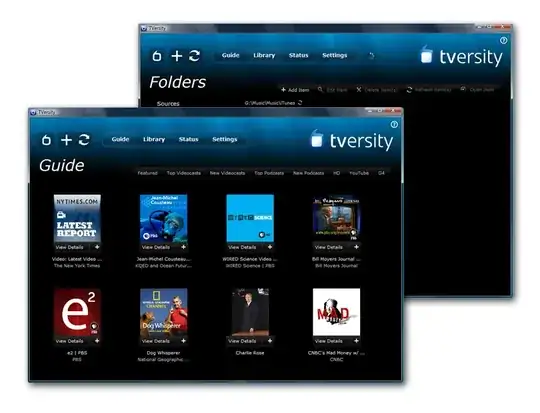
Another option worth a shot is TVersity

enter image description here

Gaff
  • 18,569
  • 15
  • 57
  • 68
Jags FL
  • 371
  • 1
  • 3