If your Mac is set up to require a password when being awoke from sleep or the screen saver is it possible to log in as a different user? If so how?
Asked
Active
Viewed 2.1k times

1 Answers
10
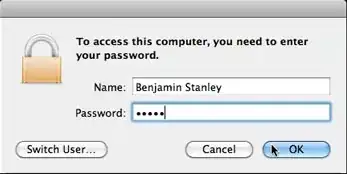
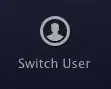
If you enable "Show fast user switching menu" in System Preferences → Accounts, then the lock screen gains a new button "Switch User..." which will take you to the login screen.
On Mac OS X Snow Leopard and previous, the Switch User button appears on the password dialog:
On Mac OS X Lion, the button appears at the bottom of the screen:

Stephen Jennings
- 23,171
- 5
- 72
- 107
-
Thanks! That's what I thought but had to look a bit harder for it in Lion. It's no longer in the dialog as you've shown. It's now at the bottom of the lock screen. – Meltemi Aug 23 '11 at 06:08
-
Ah, so you're right. I don't have Lion so I didn't know they moved it. I added that detail to my answer, thanks! – Stephen Jennings Aug 23 '11 at 13:53
-
1FYI- there is a [related bug in Mountain Lion](http://superuser.com/questions/465441/switch-user-from-locked-screensaver) if there is only one *Local* user account and a *Network* user wants to log in from the lock screen. – Meltemi Feb 06 '13 at 23:37