11

I'd like to load a transparent png and have all parts that are transparent show the desktop or underlying windows- is there a Linux image viewer that does this? I'm using Ubuntu and Gnome.

I'm not asking the same as question as this: Linux: image viewer with transparent window?

Lucas Walter
  • 215
  • 2
  • 8

4 Answers4

10

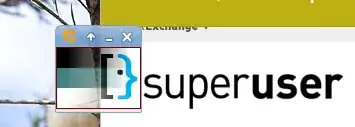
I was able to do this in Ubuntu with the XFCE desktop using pqiv, which is in the Ubuntu repositories. Here's an example of me displaying a transparent PNG over both my desktop background and Firefox: PNG transparency with pqiv

The command I used to generate the transparent window was:

pqiv -c -c -i foo.png

This only worked when I turned "display compositing" on in XFCE. I bet if it works in XFCE there's a way to make it work in GNOME since they have so much in common.

Statisfactions
  • 328
  • 1
  • 2
  • 8
  • That helped me find this which works in Ubuntu 10.10: "Open the GNOME Configuration Editor; press Alt-F2 to open the Run Application dialog and type gconf-editor. Click Run. Navigate to Apps->metacity->general. Check the compositing_manager box, and Metacity will immediately restart with compositing!" http://tombuntu.com/index.php/2008/03/31/enable-metacity-compositing-in-gnome-222/ Your pqiv command works though sometimes there are issues with the screen not getting redrawn. Thanks! – Lucas Walter Sep 21 '11 at 21:44
  • Might be more issues as well, the windows manager seems unstable now so I'll probably turn the compositing_manager setting off if I'm forced to restart it once more. An 'always in foreground' mode would be nice also in combination with -c -c -c -c (which disables controls over the pqiv displayed window). – Lucas Walter Sep 21 '11 at 22:04
  • 1
    You might also try `qiv`, also in the repositories, which `pqiv` is based on--I found it worked less well on XFCE, but maybe it works better on GNOME. It does seem to have more features. – Statisfactions Sep 21 '11 at 22:25
4
sudo apt-get install qiv
qiv -p (yourimage)

Worked with default window manager under Mate Desktop on Ubuntu 14.04. I used it with an .svg rather than a .png.

Brent Bradburn
  • 740
  • 10
  • 13
  • Works with transparent `.png` also. If you add a `devilspie` rule for `qiv`'s windows, you can get floating undecorated transparent windows. – Awi Mar 27 '16 at 17:22
2

The transparency of the window itself is decided upon by the window manager. Which means that maybe it is possible to use compiz to set any image viewer's window to be transparent. This will only partially achieve what you are trying to do, since even the non-transparent parts of the image will be somewhat transparent while the transparent parts will be "more" transparent.

Noam Kremen
  • 731
  • 4
  • 5
  • My gnome terminal windows (2.32.0) can have transparent backgrounds with solid colored text, so it ought to be possible. Maybe I'll have a look at the source and see if I can implement it myself if nothing is out already there. – Lucas Walter Sep 21 '11 at 20:51
0

As pointed out in https://superuser.com/a/870183/282396, you can use transset to make any window transparent. Unlike described in that answer I recommend just running transset 0.5 and then clicking on the window you'd like to make transparent. This way you won't need to use any special image view.