16

I'm using Windows 7 and two monitors with different resolution.
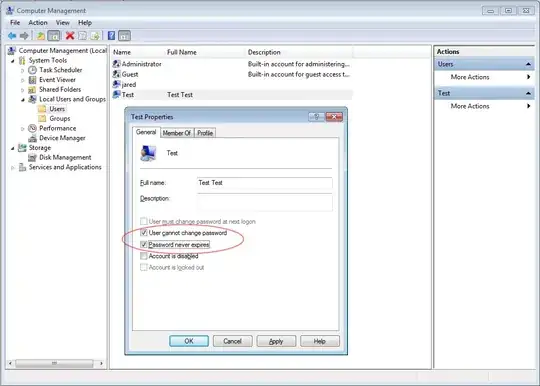
Monitor setup

As you can see, the right monitor is bigger then the left one, so when I try to go to the right upper corner of the left monitor to hit the close button, I have to aim exactly, because there is no corner where my mouse will get caught. Same goes for the "show desktop" button on the taskbar right bottom corner of the left monitor.

So is it possible to add some invisible "collision border", where my mouse can't get through and I can easily hit the mentioned buttons as I would with a single monitor?
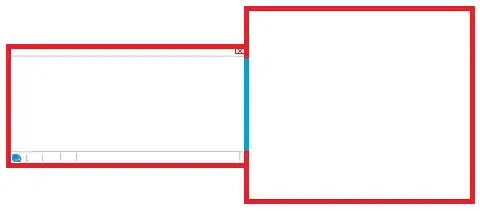
Monitor setup with collision

Indrek
  • 24,204
  • 14
  • 90
  • 93
Wulf
  • 325
  • 1
  • 3
  • 11
  • Ooooh, this would be nice. I bet there's something out there that'll do it, too. – Shinrai Sep 23 '11 at 16:14
  • I have different size monitors at home running Windows 7. I do not have this problem, so I am not sure, I understand what the problem is exactly. – Ramhound Sep 23 '11 at 16:22
  • 5
    You should patent this before M$ or Apple implements it :P – billc.cn Sep 23 '11 at 16:37
  • 1
    I always thought the border between multiple monitors should have some kind of low-speed zone. So you can drag move the mouse through, but at about ~20 pixels from the border the mouse speed would drop by ~80%. Slowing down the mouse at the point would generally prevent you from bypassing the edge if their was something near it that you were aiming for. – Zoredache Sep 23 '11 at 17:00
  • Psh. Mouse guestures FTL. Keyboard shortcuts FOREVER!!! – surfasb Sep 24 '11 at 01:25
  • The arrangment of the monitors shown in the grafics here were killing me, because there are now 2 Pockets for the mouse to be trapped in during mouse return. I shifted the monitors (in display) so they align at the top only, and then only the bottom mousetrap existed. But on my monitors it is only the 120pixels different. – Psycogeek Sep 24 '11 at 04:05
  • I just tried it on Windows 10 with two identical monitors next to each other, and it actually works as you describe it! There are little "walls" a few pixels high you can't get past at the top and bottom, so you can throw the cursor into the corner on either monitor and you'll be able to hit buttons there. However, it doesn't seem to work as well when using different monitors (e.g. High-DPI laptop with regular external screen). – jdm Nov 04 '16 at 18:51

1 Answers1

7

Edit:

Hey, someone else already asked almost the same question: Multi-monitors and the corners of the screen. And then http://ddmm.sourceforge.net/ becomes a solution...

woliveirajr
  • 4,170
  • 23
  • 32
  • Doesn't solve my problem. With a single monitor, I can just drag the mouse to the top right corner and be over the close button. With multiple monitors the mouse will just go to the other monitor, thats why I want to add some extra collision border so I can just drag (on the left monitor) to the top right corner and be over the close button. There would be enough space between the monitors left so I can go from one monitor to the other (red marked border). – Wulf Sep 23 '11 at 16:31
  • yes, I corrected the beginning of my answer, and added one idea. – woliveirajr Sep 23 '11 at 16:36
  • Hehe thank you, yes I could do that, but then I have problems with the windows button and the "program" button (f.e. the firefox button left on the title bar). Nasty problem :) – Wulf Sep 23 '11 at 16:49
  • 1
    :D yes... that's why I liked the "patent the idea before M$ or apple", as someone said above. – woliveirajr Sep 23 '11 at 16:52
  • 1
    @Wulf: updated he answer – woliveirajr Sep 23 '11 at 17:11
  • Thank you for the research! The 200ms for moving to the other monitor shouldn't be a problem, we'll see how it works. Thanks again! – Wulf Sep 23 '11 at 17:26