It could be a problem with blown up capacitors (electrolyte leaking) - inspect your motherboard and vga for damaged caps. Or a problem with your PSU alltogether. As hardware ages - overheating causes electrolyte capacitors to burst which leads to the development of pulsations that could damage particular circuity elements. Google pictures of such if in doubt.
It could also be just a problem with corrupted CMOS data. Have you tried clearing it? There's usually a jumper on the mobo or even a button these days. Consult your motherboard's manual for that. Sometimes, just clearing CMOS does not help. Then, you need to disconnect your PSU from the electrical outlet and remove the battery that is powering the CMOS microchip in order to reach a positive result. Google it, if unaware.
Of course, the most efficient thing is to just cycle every component exchanging it for a known working part - this way you can clearly pinpoint the problem, but it's a time-taking procedure and unacceptable most the time, as spare hardware parts are not available.
For now, just disconnect every other external piece of hardware to a stage that can allow a bare minimal boot (disconnect the HDD cable/power plug, CD/DVD-ROM drive, USB cables, etc). Leave only a PSU + MOBO +1x RAM module + VGA + CPU + CPU HSF plugged. Try booting.


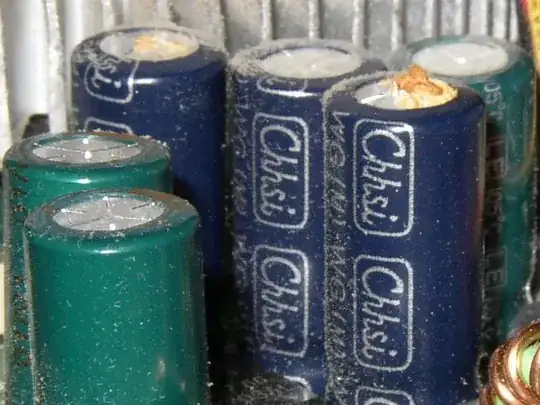 - its unlikely, but easy to check for.