2

Retrieving the supply levels of my printer in the print queue application used to work fine but now I get an Information Not Available error. In the error logfile it says Unable to query ink levels.
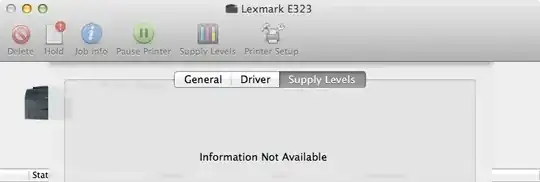
Mac OS X Print Queue

Printer Model: Lexmark E323
Mac OS Version: 10.7.2 (11C74)

fixer1234
  • 27,064
  • 61
  • 75
  • 116
Stefan Schmidt
  • 623
  • 5
  • 12

1 Answers1

1

I found this useful:

https://discussions.apple.com/message/16969677#16969677

One common workaround at the time was to modify the PPD for the printer so that the SNMP calls were not made. This is done by adding the line "*cupsSNMPSupplies: False" to the printers ppd file located in the /etc/cups/ppd. Note that you will need administrative privileges to perform this workaround.

dossy
  • 278
  • 2
  • 7
  • Very interesting thread. I have to take a look and see if it can resolve my issue. – Stefan Schmidt Jul 11 '12 at 23:15
  • A nice workaround. When using a network printer that threw "The printer may be out of toner" everytime I printed something and had the printer queue dock icon hopping around adding `*cupsIPPSupplies: False` to the end of the ppd files in `/etc/cups/ppd` stopped the annoyances. – Stefan Schmidt Jun 11 '13 at 14:56