On all Windows versions, when I disable the "Language bar" by right clicking on the taskbar and unchecking "Language bar" under Toolbars I find that a short while later it is checked again.
How do I disable this permanently?
Check the Control Panel language settings. There are options to show the language bar under certain scenarios; disable the language bar there and it should banish, never to return. (It took me forever to find this in the past, too.)
This blog post from Paul Stubbs describes behavior much like what you are experiencing, and links to this Knowledge Base article with the nitty gritty details.

Instead of right clicking on the task bar and unchecking the language bar, right click on the language bar itself. From there, select preferences, and unselect "display language bar".

Unregistering the DLL worked for me when disabling it via control panel keyboard and language settings didn't.
Open a command prompt and type Regsvr32.exe /u msutb.dll

in
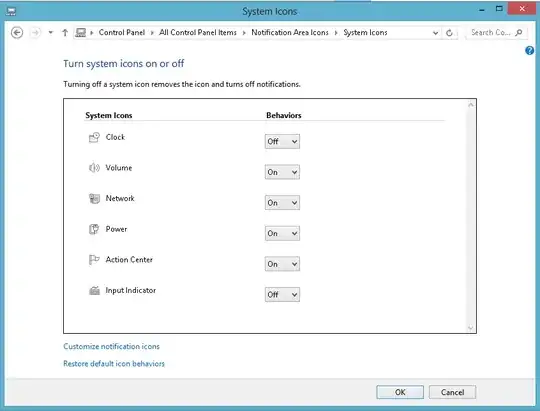
Control Panel\All Control Panel Items\Notification Area Icons\System Icons
you can turn off the input indicator