have some data that has gaps in it and Im not able to plot it in excel. I know I want to uncheck the "Leave Gaps" item in the Tools / Chart / Options panel. Plenty of googling has showed that that's the answer I want. But, I'm using Excel 2008 for OS X, not for Windows. And I can't seem to find that option anywhere!
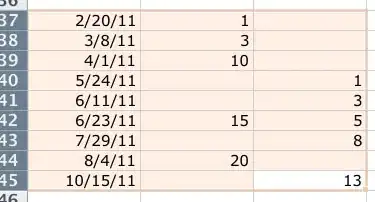
Here's my data:
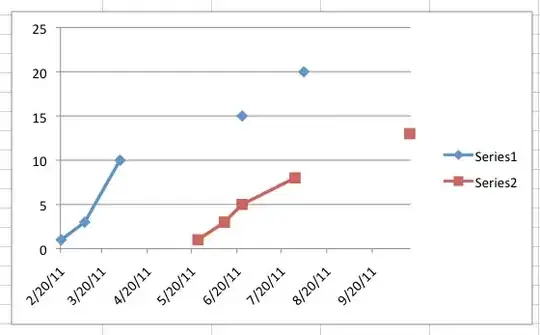
Here's my graph from Excel:
and here's what I want. (Drew this in Photoshop)
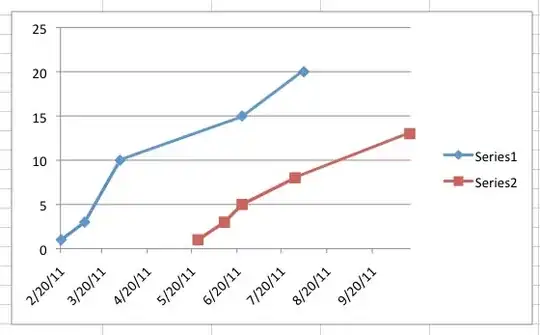
How can I do this in Excel 2008 for OS X? Thanks!