I found MS Word's Watermark menu very convenient because with the right image size you don't need to position it.
Correct Image size
To cover the full A4 area, create an image (jpg, png) with the following Dimensions:
- Width:
1190 px
- Height:
1684 px
- Resolution:
72 Pixels/Inch
Add Bbackground image
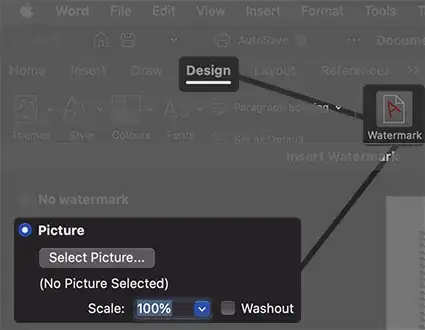
In MS Word go to Watermark. It's in the Design tab.
Select Picture...and use "Scale" with 100%. Uncheck Washout.
Done.
Background Image Quality
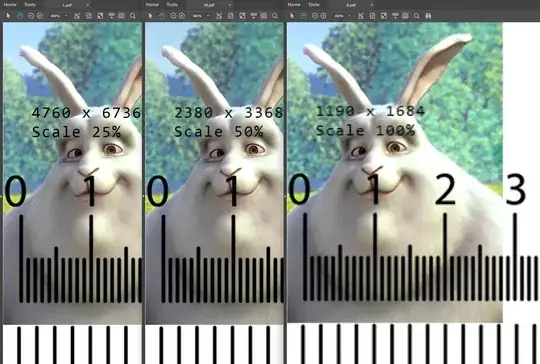
If you want to save as PDF and you need more resolution I'd recommend to increase the image resolution to 2380 x 3368.
Do the same as above but use use Scale with 50%.
Image quality comparison
Here you can see PDFs zoomed in at 600% with 3 different watermark resolutions and their corresponding scale percentages: