I have strange problem with the recycle bin icon on my Windows 7 system. I can't enable it in the "Desktop icon Settings" window by checking the checkbox to show it, because this option is unavailable.
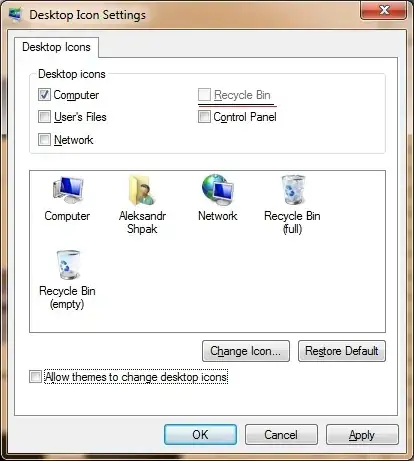
How do I fix this problem?
I have strange problem with the recycle bin icon on my Windows 7 system. I can't enable it in the "Desktop icon Settings" window by checking the checkbox to show it, because this option is unavailable.
How do I fix this problem?


Hope This post will help you , please try it.
Recycle Bin option is unavailable in Desktop icons settings box, you need to enable it via Windows Registry by following the steps given below:
Download Restore Recycle Bin Registry file.
Right-click on the file and then select Open.
Click Yes for the prompt.
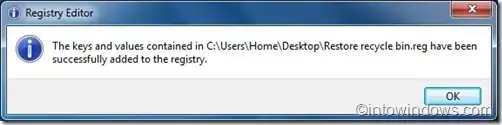
Now click Ok. Reboot your machine to see Recycle Bin on your Desktop. Note that this will also enable Recycle Bin option in Desktop icon settings box.
