6

I'm trying to learn a language and I want to be able to open the English version of a book and the German one together on the screen to compare etc. I'm particularly interested in displaying Kindle-typebooks side-by-side.

I need software that is simple to use and not-too-ugly looking. Ha. Aesthetics seem to matter to me when I'm learning...or, any reader that can display ANY popular ebook formats in parallel form will do!

Edit: Anyone know anything with scroll binding?

Win 7. IE 9. Freeware or not.

verve
  • 2,557
  • 22
  • 55
  • 66

4 Answers4

3

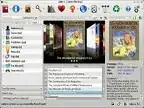
The free and open-source calibre E-book library management has readers for almost all e-book formats, including Kindle.

It allows opening more than one book at a time, and the reader doesn't look too bad :

image1 image2

harrymc
  • 455,459
  • 31
  • 526
  • 924
  • How do I open 2 instances? I tried to open up Calibre twice but it didn't work. Will the books open in parallel form? – verve Jun 03 '12 at 08:56
  • I checked this by, in calibre, viewing 2 ebooks one after the other. calibre opened 2 viewers for me. To arrange them side-by-side, see [Arrange windows side by side on the desktop using Snap](http://windows.microsoft.com/en-us/windows7/arrange-windows-side-by-side-on-the-desktop-using-snap). – harrymc Jun 03 '12 at 09:31
  • 1
    When I opened 2 books Calibre opened 2 different windows! Sigh. – verve Jun 05 '12 at 08:11
  • 1
    Is the problem because you wish to scroll both windows as one ? – harrymc Jun 05 '12 at 08:51
  • 1
    If this is the problem, see [Sync vertical scroll between two windows](http://superuser.com/questions/326806/sync-vertical-scroll-between-two-windows). – harrymc Jun 05 '12 at 10:17
  • Nope, I'll be happy if I can get Calibre to open the 2 windows in parallel form! – verve Jun 07 '12 at 07:44
  • You can arrange them easily enough in parallel, but not open them in parallel to start with. Calibre is developing at a very fast pace, so you could try to convince the developers to add such an option. – harrymc Jun 07 '12 at 08:19
1

Is there anything preventing you from having two windows open side by side? Windows 7 makes it easy with Aero Snap... Drag one window the the left side, one window to the right side. No special software needed

Canadian Luke
  • 24,199
  • 39
  • 117
  • 171
  • 1
    Perhaps scroll binding is desired, but different languages could easily be different lengths :\ – Bob May 30 '12 at 05:44
  • But I can never have two readers of the same kind open twice. For instance I've got two Kindle books in the PC app I want to read side-by-side but I can't have 2 installations of the app. – verve May 30 '12 at 05:59
  • @Bob What is scroll binding? – verve Jun 03 '12 at 08:57
  • @verve Synchronous scrolling: the scrollbars are linked so when you scroll one window/book, the other is automatically scrolled too. – Bob Jun 03 '12 at 09:04
  • That would be great. Are there any apps like that!? Very useful... – verve Jun 04 '12 at 06:43
0

Use Firefox, install TileTabs and use an online reader such as Ibis reader, the cloud Kindle reader or any other online reader out there:

Two instances of Ibis reader in FireFox

Otherwise, as harrymc suggested, use two instances of Calibre. Focus one instance, hold down the windows key and hit the left cursor. On the other instance, do the same with the right cursor instead:

Two instances of Calibre

Note that Digital Editions, Sony Reader, Nook and most other "good looking" (but long loading or otherwise bloated) readers will not allow two instances running at the same time (though it may be a nice challenge to hack).

I do not know of any true "parallel reader" other than Bible software that let you read different translations side by side. Almost all Bible software has that feature, so you might try looking for one that will allow you to import an epub... but I guess it'll be more of a hassle than simply scrolling twice.

Louis Somers
  • 475
  • 4
  • 11
  • Is a TileTabs-like feature not available in IE? – verve Jun 03 '12 at 09:00
  • There is very little (officially) available for IE, The category for "utilities" is empty at http://www.iegallery.com/Addons. Chrome has a few (https://chrome.google.com/webstore/search/splitscreen). However, you can always open two instances of IE and use the Windows+Cursor keys to quickly position them, just like described for Calibre. – Louis Somers Jun 03 '12 at 20:13
  • Do you know of any Bible software useful for my purposes? – verve Jun 05 '12 at 07:54
  • No, but I have only tried a few. The Sword Project is one which claims to be open source but when it comes to the file format seems to be not that open after all. There's allot of other projects out there that I have never tried, and I guess ePub is a good candidate to be supported by such apps. I just thought to point you into that direction since almost all Bible software has a parallel translation reading feature. If you have the time on hands you might want to check it out. – Louis Somers Jun 05 '12 at 18:39
0

If you want to use Kindle this solution may work for you. Open one version of the book in the downloadable version of the Kindle Reader for PC app - Then use the Kindle Cloud Reader in a web browser to open another book. With some judicious screen arranging you should be able to get them side by side. You don't seem to be able to open the same book in both apps simultaneously but that should not matter for your purposes.

BJ292
  • 2,060
  • 14
  • 12