8

I have 220 png images of equal height and width with the following naming convention:

A1.png, A2.png, ... V9.png, V10.png

I need to merge them into one giant image, with A1 being the top left corner, letters increasing horizontally and numbers increasing vertically. Is there a way to do this that does not involve tediously putting it together piece by piece?

Giacomo1968
  • 53,069
  • 19
  • 162
  • 212
SubTea
  • 81
  • 1
  • 1
  • 2
  • @SubTea, are you referring to multiple unrelated images, like thumbnails? – hyperslug Sep 19 '09 at 20:06
  • I found a giant flowchart of metabolic processes online, which would really help in one of my classes this semester. Unfortunately, the flowchart is broken into a bunch of smaller images. Now that I've looked more closely, many of these images don't line up perfectly and some aren't even scaled properly, so I think the long way, shopping them together one by one, may be the only option to get the result I'm looking for. – SubTea Sep 22 '09 at 14:31
  • Ah, then you *do* need a photo-stitching solution. Have you tried Hugin, http://hugin.sourceforge.net/? Not sure but I think it can resize, too. – hyperslug Sep 22 '09 at 16:55

3 Answers3

10

http://www.imagemagick.org/Usage/montage/ is your friend. all you need to do is create the "right" command line.

if i think about it, all you have to do is:

ls *.png

and you got the right order already.

akira
  • 61,009
  • 17
  • 135
  • 165
  • +1 imagemagick is pretty awesome if you're ok w/ a little scripting. – hyperslug Sep 19 '09 at 19:23
  • This looks like the best option (at least for .png since none of the other programs listed in other answers can handle .png) but as I look more closely at the images I have, the edges don't line up perfectly. – SubTea Sep 22 '09 at 00:37
  • Eq: montage -backgorund none -title x1 *.png spri.png ::: transparent single line – user956584 Jun 20 '14 at 12:04
2

EDIT: 10 years have passed and most of the software below is outdated. I would today recommend the Hugin Panorama photo stitcher.


Here are some freeware image stitchers:

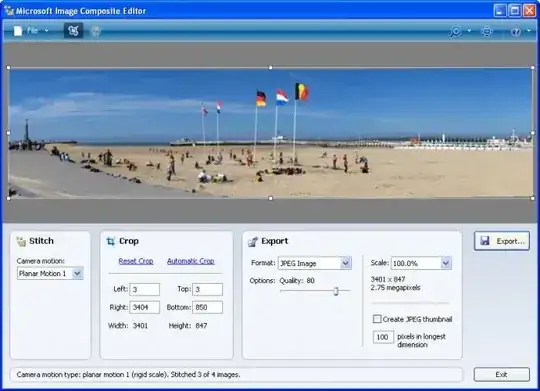
Microsoft's Image Composite Editor

The application takes a set of overlapping photographs of a scene shot from a single camera location and creates a high-resolution panorama incorporating all the source images at full resolution. The stitched panorama can be saved in a wide variety of formats.
alt text

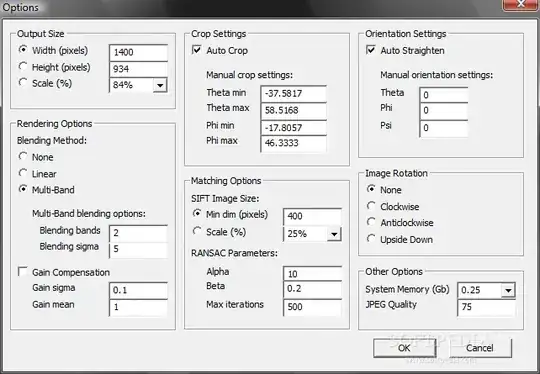
Autostitch
Choose your pictures and let it format the photos into a single combined panorama. All lighting corrections and blending are done for you.
alt text

Panorama Perfect Lite
Using nodes on the blending area of each photo, you can match each structure (tree, building etc.) to ensure that there is no distortion when joining. More complex, but better stitch without the bending and distortion you sometimes get with Autostitch.

alt text

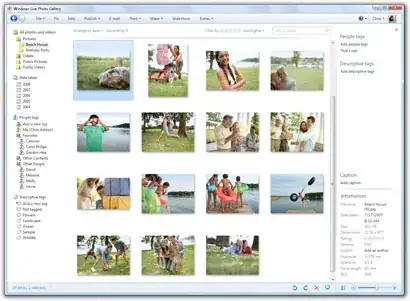
Windows Live Photo Gallery
Used for managing your photos, but the Make menu contains a "Panorama Stitcher". Select the photos from the thumbnails viewer, and the program does the rest. Cropping and adjustment is immediately at hand under the Fix menu.
alt text

Giacomo1968
  • 53,069
  • 19
  • 162
  • 212
harrymc
  • 455,459
  • 31
  • 526
  • 924
  • These look great for smaller projects involving photos, but NONE of the above programs support .png files. While I could convert these images to .jpg, the artifacts produced would be a problem as my current project is primarily text and multi-colored arrows on a white background. On the other hand, I have made some crude panoramas in Photoshop over the years, and these have been a great help in cleaning those up! Thanks! – SubTea Sep 22 '09 at 00:49
  • @harrymc What to do.. Links have changed, software obsolete. you want to update or shall I? –  Aug 12 '21 at 13:12
  • 1
    @GWarner: That happens after 10 years. For the sake of current readers I updated the links, although a more modern product is now the [Hugin Panorama photo stitcher](http://hugin.sourceforge.net/). – harrymc Aug 12 '21 at 14:05
  • @harrymc a recent question, and a tag search led me here. Nice to find current information. –  Aug 12 '21 at 15:34
0

You might want to check out Photosynth - I've never used it for a project this big, but it's free and awesome.

Gaff
  • 18,569
  • 15
  • 57
  • 68
MDMarra
  • 20,442
  • 4
  • 44
  • 54