4

I'm a Blender novice, so this is probably easy to fix.

When I use a transparent PNG as a texture in Blender, the parts that should be transparent are rendered as black.

This is especially confusing since in the material preview it looks as if the material would indeed be transparent.

Here's a screenshot:
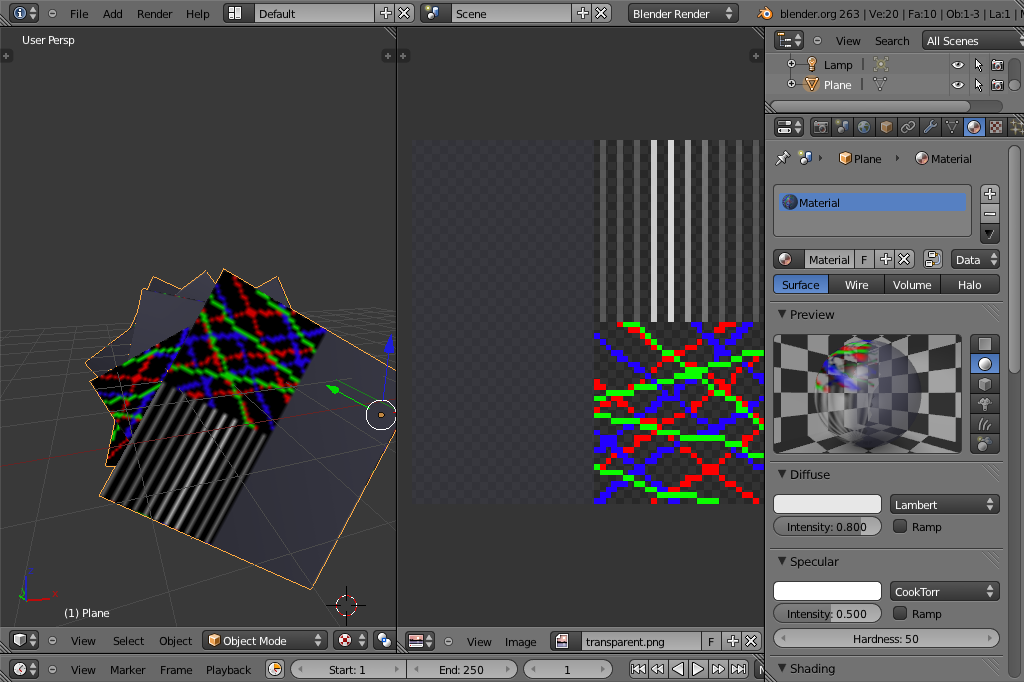
screenshot

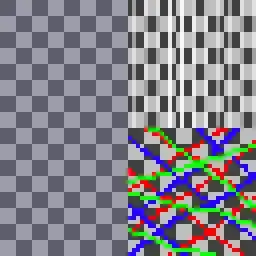
This is the test texture, and in the right on top of a checkerboard:
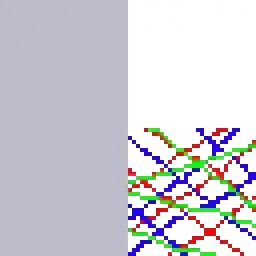
           test image           test image on a checkerboard

Here is the .blend file in case you want to check it:

                                                     Yes, you may download this PNG and open it in 7-Zip because it has a ZIP in it. Blame the lack of an attachment feature here.

Edit: After playing with the settings, it does render with transparency in the rendered output, but that's not what I need. I want to use the models with Three.js, so I want to just quickly see how it looks in Blender, I don't need more than simple "Z-transparency" ("regular" one, non-raytraced) here's a reference rendering of what I expect to see in Blender while I edit (this is the same model rendered with Three.js on an HTML <canvas>):

                                               reference rendering

Camilo Martin
  • 2,604
  • 4
  • 32
  • 41
  • I'm wondering if Blender just isn't capable of showing a transparent texture on the editing panel. I hope this is not the case. – Camilo Martin Jul 03 '12 at 16:47
  • Is it a PNG8 or a PNG24? – Ignacio Vazquez-Abrams Jul 04 '12 at 16:22
  • @IgnacioVazquez-Abrams It is the image I've posted here, so yes, it is PNG32 (remember, PNGs with transparency have 32 bits per pixel... 8R+8G+8B+8A) – Camilo Martin Jul 04 '12 at 17:00
  • Note to possible answerers: I've found the answer, a guy at [BlenderArtists](http://blenderartists.org/) just posted it. If he choses to post it here, I'll choose his answer. If not, I'll post it myself and choose it. The answer is in [this link](http://blenderartists.org/forum/showthread.php?259642-PNG-alpha-rendered-as-black&p=2155593&viewfull=1#post2155593). – Camilo Martin Jul 04 '12 at 17:06
  • Actually, now two guys posted answers there, how timely with my bounty here, lol. – Camilo Martin Jul 04 '12 at 17:17
  • 1
    @CamiloMartin - How did you make the `I'm actually a .zip file` thing? – Derek 朕會功夫 Jun 21 '13 at 05:11
  • 1
    @Derek朕會功夫 - Cool isn't it? :D `cat file.png file.zip > mix.png` on Unix, and `copy /B file.png file.zip mix.png` on Windows. This works because 7-Zip (and many other programs) will look for the zip header (or any other valid header that it supports), even if it's not at the beginning. For this reason you can open .docx, installers, and a number of proprietary-format files straight in 7-Zip. The image itself was self-made. – Camilo Martin Jun 21 '13 at 17:31
  • @CamiloMartin - Thanks for the explanation! I'm sure this will be useful for me some time in the future. – Derek 朕會功夫 Jun 21 '13 at 18:19
  • Glad I could help @Derek ^^ – Camilo Martin Jun 22 '13 at 04:51
  • 1
    Oh, and by the way, the image is public domain, in case you want it you're free to use it too. Here it is, ready to be concatenated with whatever zip: http://i.imgur.com/1cHoKa4.png – Camilo Martin Jun 22 '13 at 05:14
  • @CamiloMartin - Actually I came here because I encountered a similar problem as yours. Is there any chance you can take a look at my problem: http://superuser.com/questions/610327/transparent-texture-rendered-as-black Thanks! (I had the exact opposite situation as yours, black in rendered, transparent in viewport, weird) – Derek 朕會功夫 Jun 22 '13 at 06:27
  • @Derek Sorry, wish I could help really, but since this question one year ago, I didn't use Blender at all, and I'm still a complete n00b :( – Camilo Martin Jun 25 '13 at 06:54

1 Answers1

0

Just in case none of the two nice fellow at BlenderArtists chose to answer here, here's the two possible ways to do it:

SxJP's answer:

In the viewport, click N, open the "Display" tab and under "Shading", select "GLSL".
Click the link above for the original post.


Sanctuary's answer:

This one allows you not having to use the GLSL renderer. To avoid duplication, click the link to go to the answer, it has handy screenshots.


Camilo Martin
  • 2,604
  • 4
  • 32
  • 41