OSX Mountain Lion removed the GUI for web sharing, but apache is still installed.
How do I start and stop the service? How do I get the service to automatically launch on startup?
OSX Mountain Lion removed the GUI for web sharing, but apache is still installed.
How do I start and stop the service? How do I get the service to automatically launch on startup?

The LaunchDaemon for Apache is still there as well, so all you have to do it load it:
sudo launchctl load -w /System/Library/LaunchDaemons/org.apache.httpd.plist
The -w makes it permanent, i.e. it'll be reloaded when you reboot.

Terminal Commands
Starting: "sudo apachectl start"
Stopping: "sudo apachectl stop"
Restarting: "sudo apachectl restart"
Launching on Startup
(See the marked answer in this thread)
sudo apachectl start also enables the launchd daemon. It overrides the Disabled key in /System/Library/LaunchDaemons/org.apache.httpd.plist by modifying /private/var/db/launchd.db/com.apple.launchd/overrides.plist, just like launchctl load -w.
For http://localhost/~username/ to work, you have to create
/etc/apache2/users/username.conf and add a <Directory> directive like
this:
<Directory "/Users/username/Sites/">
Options Indexes MultiViews
AllowOverride All
Order allow,deny
Allow from all
</Directory>

Slifty and Lauri hint at an important concept without clearly saying it.
"sudo apachectl start" will not only start apache but will also modify /private/var/db/launchd.db/com.apple.launchd/overrides.plist so that apache will automatically restart each time the system is rebooted.
Similarly, "sudo apachectl stop" will stop apache and modify the above file so that apache won't start when the system is rebooted.
This seems to be the simplest way to control whether the service starts automatically.

For those in search of a GUI, Click On Tyler has developed a control panel app, http://clickontyler.com/blog/2012/02/web-sharing-mountain-lion/
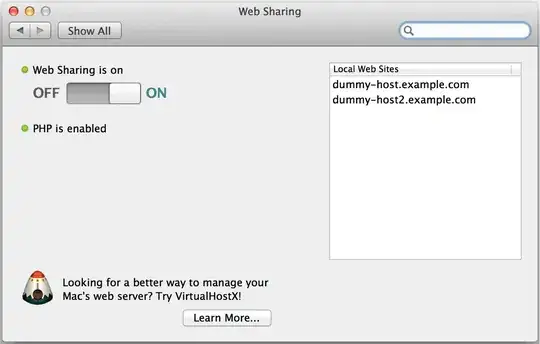

This preference pane has the links for computer site folder and to open a browser : http://stowlake.com/WebServer
