Windows Vista SP2 and Win7:
After the BIOS gets done posting, CHKNTFS checks the NTFS file system before proceeding to login. I would like to disable CHKNTFS, as this makes the boot process very long.
Windows Vista SP2 and Win7:
After the BIOS gets done posting, CHKNTFS checks the NTFS file system before proceeding to login. I would like to disable CHKNTFS, as this makes the boot process very long.

Simply you have to do CHKNTFS /X Your_Drive in command prompt, on next boot it won't check.
The X tells Windows to NOT check that particular drive on the next reboot.

I had no problem disabling CHKNTFS for Drive C: with the /X option, however, CHKNTFS was still checking a hidden OEM partition with no visible DRIVE or volume name, so I wasn't able to disable it with /X.
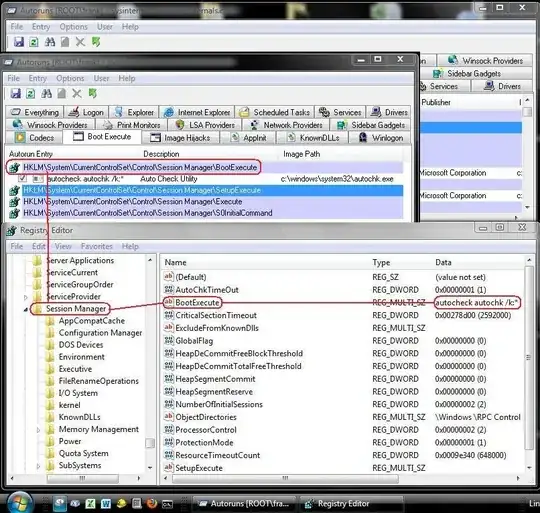
Therefore, I had to modify the BootExecute registry value to autocheck autochk /k:* in order to disable all partitions, including the hidden one (see image below).
BTW, this tweak is done the same way for Win7.