6

At work I'm using a Dell Vostro laptop running Windows 7 Enterprise and it does not have a NumLock key nor a numeric keypad accessible with Fn.

In this case, how do I enter an Alt code (holding Alt and typing a number on the numpad)?

Before you ask, the on screen keyboard doesn't work.

Character Map is quite horrible, and I'd rather avoid it.

fixer1234
  • 27,064
  • 61
  • 75
  • 116
CyberSkull
  • 1,465
  • 4
  • 17
  • 31

3 Answers3

5

Wordpad/Word/Outlook etc. allow also to use Alt-x combination. Enter hex code and immediately after press Alt-x (eg. 41 Alt+x will produce A). Detailed instructions (with much more information) in this Wikipedia article

CyberSkull
  • 1,465
  • 4
  • 17
  • 31
wmz
  • 7,102
  • 1
  • 21
  • 32
3

If you don't have a numeric keyboard to input the desired code, you can use the build-in windows Character Map Utility:

  1. Click "Start" menu button;

  2. Select: Programs → Accessories → System Tools → Character Map;

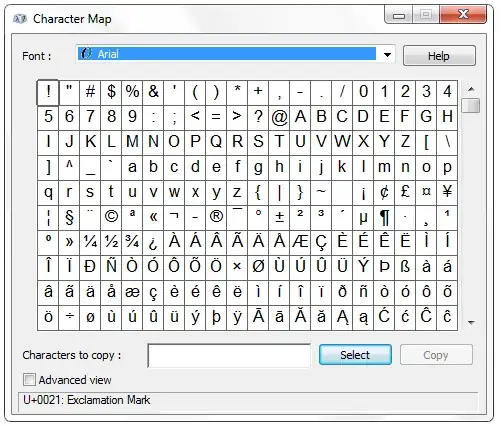
  3. A window should open with a grid displaying the characters:

    Character Map

  4. Select the font you're using on your target application;

    Arial works very well across the board and presents all characters. There are exceptions of course.

  5. Scroll the chars grid to locate the desired character;

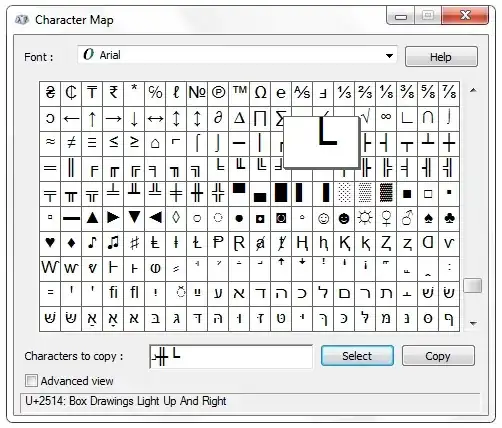
  6. use the button "select" to select it to the copy area;

    Character Map - Selected

  7. Copy the characters when you're done;

  8. Past them on you desirable location.

Character Map Utility comes with lots of useful features, take a look at this article that explains all this with greater detail.

Zuul
  • 3,789
  • 2
  • 24
  • 33
  • 1
    Character map is missing a bunch of characters and subranges. I [need something better](http://superuser.com/q/460244/79846). – CyberSkull Aug 11 '12 at 00:05
3

There is a subset of characters directly available if you enable AltGr which means changing your keyboard type to International. This changes your Right Alt key into a special kind of shift key, letting you type characters like « and » or letters like á and Þ.

staticsan
  • 726
  • 4
  • 9