3

I have iBall 150M Extreme Wireless N Router. I am trying to connect my internet through this router. I configured it correctly (using quick configuration) as per my knowledge using static IP Address. But When I plugged in WAN cable in to WAN (Blue) Port. It is not showing me LED ON for WAN on Router.

I Said I configured it correctly because it worked for me once and then when I switched off my modem and router then it never worked.

I plugged same cable in to my Laptop and it is working perfectly. Also, I tried with 2 routers (both are same make and model).

I am connected with modem.

In Router configuration page, it shows me WAN Port unplugged when I try to Auto Detect IP Address.

Any one faced this kind of issue ? Please let me know. Thanks in advance.

  • 1
    Just wondering did you find the solution to the problem. – user88311 Jun 26 '13 at 17:07
  • 1
    Is your ISP-provided modem *just* a modem, or is it a modem/router all-in-one? ISPs tend to send out combination modem/routers as these offer the ability for SoHo environments to quickly connect multiple devices so they can access the Internet immediately. If your modem is a modem/router and you're connecting another router to this then this is where your problems begin... double NAT'ing etc... – Kinnectus Jul 14 '15 at 14:42

3 Answers3

1

This could be 1 of 2 things to the best of my knowledge.

  1. Your power cable can be shorting out your WAN port causing you to show no network connection. I have had this problem happen to me in the past, and when I changed the power cable, my router lit up like normal and gave me a connection without anymore problems

    1. Your WAN port is blown/fried and is no longer functioning. This sounds like a higher possibility, especially on a fairly old router. Unfortunately, there isn't much that you can do about this. You can go ahead and try a hard-reset. Or, if you are daring, you can take the casing off the router and inspect it to see if there is any physical damage.

Hopefully option 1 fixes the problem, but if not, it is time to move on and purchase a new one (unless it's still under warranty or from your ISP)

Mike Diglio
  • 1,083
  • 6
  • 8
0

Sounds like maybe a short in your router, if you got it from your ISP or just bought it recently I'd return and get a new one just to see if that solves that problem.

user88311
  • 1,664
  • 2
  • 17
  • 29
0

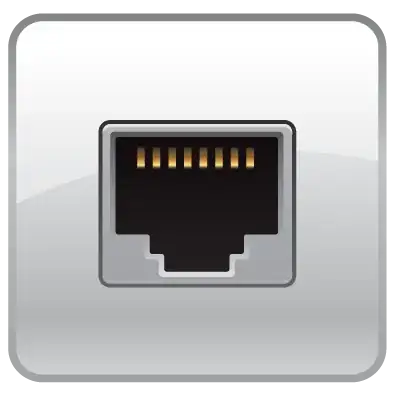
Check the pins in the jack where you plug your ethernet cables in. Sometimes these pins can get bent backwards or sideways, preventing a proper connection. The image below shows the pins I am talking about. If they arent straight take some tweezers, or small needle nose pliers and gently straighten them out.

enter image description here

Keltari
  • 71,875
  • 26
  • 179
  • 229