There seems to be no search bar in the Maps app. Even right-clicking brings up a menu without a search option. How do I search for locations in the Maps app?
Asked
Active
Viewed 77 times

2 Answers
3
To search on Maps:
Bring up the Charms bar by either swiping in from the right of your screen or moving to the top-right or bottom-right corner of your screen (or pressing Windows+C) then select the Search option:

Enter your search into the Search box provided and hit Enter:
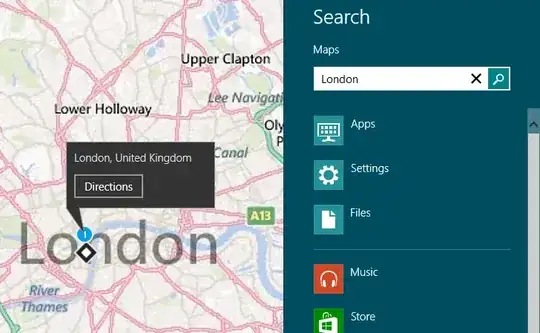
Additional results can be found using the Search results button that appears in the top left after returning to the map:
Clicking this brings up the additional results and refining option:


Graham Wager
- 11,647
- 3
- 30
- 50
-
1or hitting win-c. Keyboard shortcuts are, ironically the mouse-user's salvation ;p – Journeyman Geek Oct 27 '12 at 10:01
0
Move the cursor to top-right corner or press WinC.
There is a Search option on it.

slhck
- 223,558
- 70
- 607
- 592

akshaykumar6
- 538
- 3
- 7
- 13