Since there's no longer a taskbar/start menu Control Panel, how do you clear the history of the Run box in Windows 8?
Asked
Active
Viewed 2.3k times
8

-
there is still a Control panel btw... – MimiEAM Oct 27 '12 at 14:11
-
@MimiEAM I never said there isn't. I said there's no Taskbar/Start Menu Control Panel. – David Pfeffer Oct 28 '12 at 12:27
6 Answers
8
Following are the steps to clear history of the Run box:
- Go to the Start screen, and type
regeditand open click onregeditto open the Registry Editor - Navigate to the key:
HKEY_CURRENT_USER\Software\Microsoft\Windows\CurrentVersion\Explorer\RunMRU - On the right of the screen, there are keys that contain the recently entered commands on the Run Box. Delete the ones that you want to delete

- Log off and Log back on.
That should delete history from the Run menu.
The UI Way to delete History
- Type
Clear Historyin the Search box. Then click on Settings on the Charms menu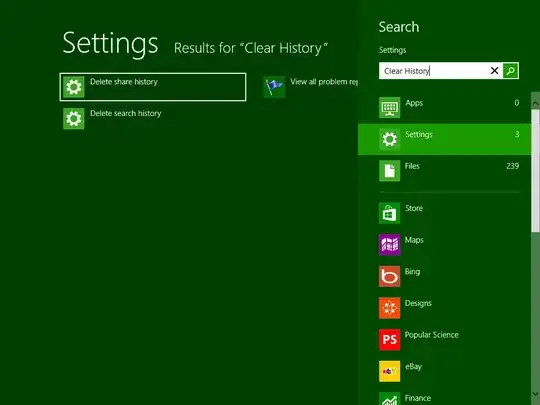
- Finally select Delete History to clear the history
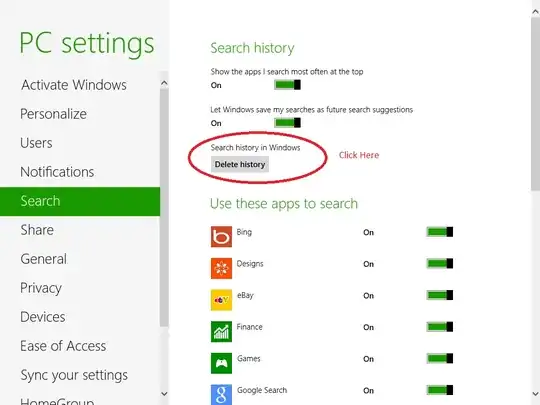
However, that method deletes more than just the search history of Run Box. It also deletes history from other applications like File Explorer.

Rakib Ansary
- 2,208
- 3
- 16
- 31
-
-
There is actually a UI way to delete history. Please see the edited answer. – Rakib Ansary Oct 27 '12 at 13:58
-
1


0
Empty the registry key out:
[HKEY_CURRENT_USER\Software\Microsoft\Windows\CurrentVersion\Explorer\TypedPaths]
This will kill the typed Run history.

slm
- 9,959
- 10
- 49
- 57

Rune Mariboe
- 17
- 1
-1
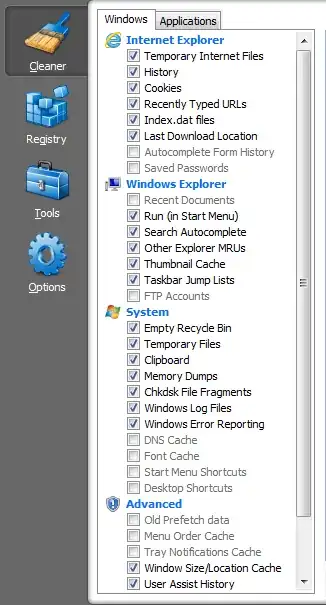
For some reason the run box history is cleared via clearing Internet Explorer history. In IE, press ctrl+shift+del, and clear your history.

JamesR
- 143
- 2