4

In Windows 7 you could create a system image that you restore later on in the Backup and Restore options:
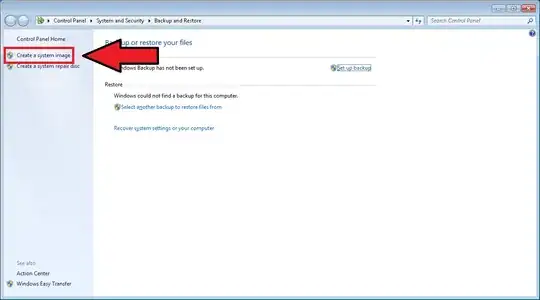
enter image description here

However Backup and Restore options have changed in Windows 8. They look like this now:
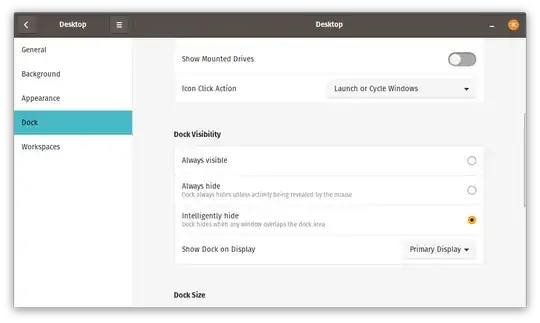
enter image description here

Is it still possible to create a system image so that I can restore it later on or has this feature been removed?


Nick
  • 1,561
  • 7
  • 25
  • 47
  • Also might want to take a look at [this](http://superuser.com/questions/493563/windows-8-upgrade-recovery-disk). – Karan Oct 28 '12 at 03:30

2 Answers2

6

Windows Backup has been renamed to Windows 7 File Recovery.

Click Control Panel, Windows 7 File Recovery, Create System Image.

Windows 7 File Recovery

SLaks
  • 7,944
  • 2
  • 36
  • 59
  • 3
    ... Thats a rather silly thing to call it... – Journeyman Geek Oct 28 '12 at 02:23
  • @JourneymanGeek: Yes; I have no idea why they did that. – SLaks Oct 28 '12 at 02:26
  • Another interesting way to make a backup image to be used with "Refresh"...http://www.extremetech.com/computing/134611-how-to-reinstall-windows-8-without-losing-your-files-and-programs – Moab Oct 28 '12 at 04:07
  • 1
    I've made images with the Win7 File Recovery's tool. But the boot CD never EVER finds them on the USB drive. Maddening. – Chris_K Nov 18 '12 at 17:05
  • 1
    The name was to explicitly indicate that this was a [deprecated feature](http://msdn.microsoft.com/en-us/library/hh848073%28v=vs.85%29.aspx "Windows 7 Backup and Restore deprecated"), and it's been removed from Win8.1 (doesn't seem to be available in the Preview at least). – Karan Jul 10 '13 at 02:39
2

In Windows 8.1 the Windows 7 File Recovery Feature is removed, but you can use the System Image Backup instead.

Follow the Link for further informations: http://winsupersite.com/windows-8/windows-81-tip-use-system-image-backup

HowToGeek.com listed some features which are removed in Windows 8.1 http://www.howtogeek.com/167610/8-features-microsoft-removed-in-windows-8.1/

DavidKahnt
  • 131
  • 3
  • 1
    Instead of just providing links, incorporate some of the information @ the links in the answer here. Links don't always last forever. – Enigma Mar 03 '16 at 21:23