Is it possible to open more than one info buffer in Emacs? I used C-h i to open info and started reading the section I was interested in. While reading, I wanted to refer to another info section -- using C-h i a second time does not open a second info buffer. How can this be done?
Asked
Active
Viewed 1,229 times
9

SabreWolfy
- 574
- 9
- 24
4 Answers
11
Help for the info command says (get help with F1 f info):
A numeric prefix argument selects an Info buffer with the prefix
number appended to the Info buffer name.
So, open a first info window as usual, then open another info window by typing (for example):
M-2 M-x info
Now you have 2 independent info windows, the second one called *info*<2>.

Juancho
- 2,612
- 19
- 14
-
Thanks. I looked at the help for `info` before posting the question, but the help included with my version of Emacs did not explain it as well as what you posted above, so now I understand how to use it. – SabreWolfy Dec 07 '12 at 19:25
1
The Info manual provides more information about the issue than the built-in documentation.
M-x info-display-manual is a convenient command. For more information, look at the Emacs Info Manual, chapter "Advanced", section "Advanced Info Commands", subsection "Create Info Buffer".

1
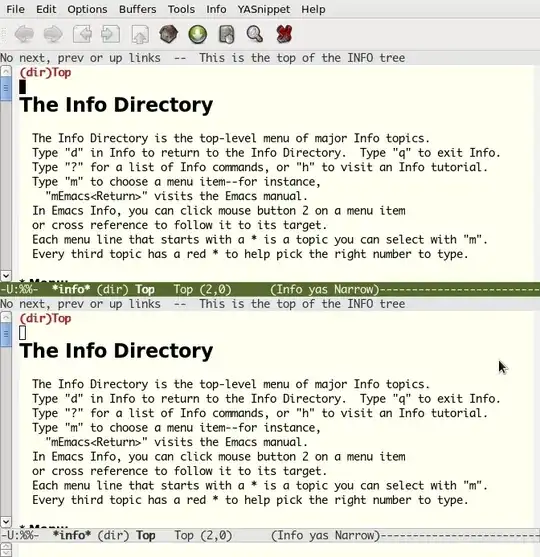
Split the window using C-X-2, to split horizontally or C-X-3 to split vertically. that way you can have two panes showing the same buffer. You can get back to a single pane using C-X-1.

terdon
- 52,568
- 14
- 124
- 170
-
I tried that before posting my question. When I move to the second buffer (`C-x o`) and then navigate elsewhere in `info` (by pressing `^` for example), *both* buffers change. Your solution simply shows the *same* `info` section in two buffers. I would like to be able to view *another* `info` section in the second `info` buffer. – SabreWolfy Dec 07 '12 at 16:31
-
Ah, I see. Yes, if you navigate using the links both buffers will change. I thought you wanted to look at different parts of _the same page_. – terdon Dec 07 '12 at 16:33