10

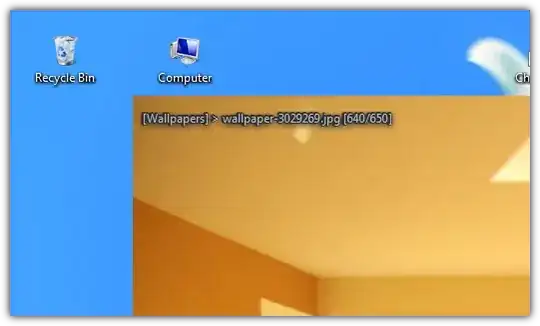
I am looking for an image viewer software without very large window borders.
I don't need any type of toolbar, just a simple image viewer.

It would also be fine if there is no top bar to close, minimize or maximize window.

nixda
  • 26,823
  • 17
  • 108
  • 156
Mowgli
  • 290
  • 3
  • 5
  • 19
  • Welcome to superuser. I see you are new here and I feel your first response shouldn't be negative. So I answered your question partially. But please don't just ask for software recommendations without a real problem in the future :) – nixda Jan 19 '13 at 20:23
  • 1
    Thanks a lot for helping, I been trying searching for many idea to have some kind of text to always display on my screen then I thought of using autohotkey to set windows always on top and use image viewer so I needed some viewer with what I asked in this question. – Mowgli Jan 19 '13 at 20:38

1 Answers1

14

Here are three viewers you can try


#1 HoneyView (my current choice)

enter image description here

  • Open Configuration (F5) » View and
    • uncheck Show main window border
    • check Do not display the top menu bar
    • check Do not display the bottom control bar

#2 Nexus Image

enter image description here

  • Right click and select Hide status bar

#3 IrfanView

enter image description here

  • To permanently hide status bar, toolbar, caption and menu bar add /hide=15 to a IrfanView shortcut
  • (or) edit i_view32.ini and add (thx@Lywald)

    [Menu]
    Active=0
    [Caption] 
    Active=0 
    [StatusBar]
    Active=0
    [ToolBar]
    Active=0
    

    (I wasn't able to hide the normal window border)

nixda
  • 26,823
  • 17
  • 108
  • 156
  • Thanks a lot that worked, but is there a way, I can save that preference for all the time ? or do I need to `press Alt+Shift` `+S+T+M+C` thanks again – Mowgli Jan 19 '13 at 20:28
  • 1
    Add a parameter to a IrfanView shortcut. See my edit. – nixda Jan 19 '13 at 20:40
  • 2
    I can't comment nixda's answer from lack of reputation, but to permanently hide the Irfanview UI (except the thin border), change the ini file at *C:\Users\\____\AppData\Roaming\IrfanView\i_view32.ini*. Add this: [Menu] Active=0 [Caption] Active=0 – Pierre Mar 17 '15 at 12:31
  • Tested HoneyView, works great, thanks! – user180574 Jun 10 '23 at 19:48