6

I have a large color PDF that I can easily view greyscale in Foxit Reader:
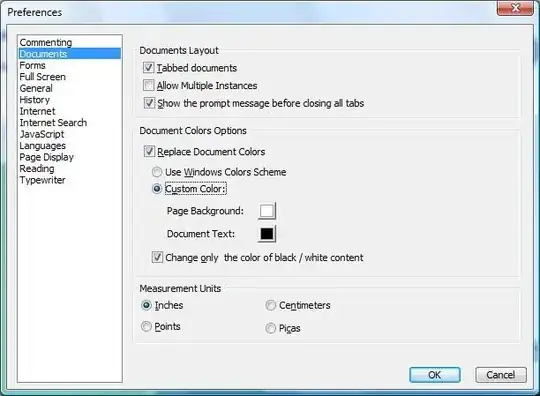
foxit color controls

Unfortunately various bits of text end up in ridiculously light shades of grey. Similar, but not direct, questions include:

How can I force a PDF to display only in pure black and white?

Bryce
  • 2,334
  • 3
  • 22
  • 24
  • 1
    Where does the file come from? Perhaps it is better to make it black and white in the original format? – vonbrand Jan 29 '13 at 16:27
  • It is an autocad drawing, but I don't have autocad. – Bryce Feb 05 '13 at 15:40
  • Personally, i do hate it. So many years - 2017, FoxItReader 8.1, the problem still not solved. Yet. And plenty-plenty non-printable ok docs... And command line converting instead of using already present checkboxes... I do hate it. – WebComer Mar 10 '17 at 10:47

3 Answers3

1

Following on from answer by Kev with ImageMagick. ImageMagick will convert a vector pdf to raster at 72 dpi. An alpha channel might also cause the conversion to fail.

Try: magick -density 288 original.pdf -alpha off -colorspace gray -auto-threshold otsu new.pdf

flywire
  • 205
  • 1
  • 4
  • 11
1

ImageMagick is free and cross-platform. This command should work:

convert <input> -threshold xx% <output>

For example:

convert original.pdf -threshold 50% new.pdf

You'll have to set the threshold to taste.

Kev
  • 1,142
  • 2
  • 14
  • 37
0

If you want to avoid downloading and working with the command line in ImageMagick, there's an online tool that can create pure Black and White from PDFs:

https://supertool.org/convert-color-pdfs-to-black-and-white/

The B&W Threshold and reverse features may help with light elements.

dca
  • 245
  • 2
  • 7