1

I am trying to add uncrustify for my C++ code formatting in Sublime Editor 2.

I know that there are some ways to run external process in SE2. But the main problem is that cannot update the buffer (view) with my code, when the formatting is done.

Can somebody sketch a plugin which will run external process on the content of the current buffer and then update it?

Daniel Beck
  • 109,300
  • 14
  • 287
  • 334
user14416
  • 368
  • 3
  • 14

1 Answers1

2

The following text plugin replaces all lowercase letters in the file with their uppercase equivalent. The bash -c call was a workaround to provide a useful example for the (uncommon) case of a command acting on large argument input: usually they deal with files or standard in.

To use your own command, replace the first three list entries in the first Popen argument with your own, the last is the entire buffer content.

import sublime, sublime_plugin, subprocess

def insert_output(view, edit):
    r = sublime.Region(0, view.size())
    try:
        proc = subprocess.Popen( [ "bash", "-c", 'echo "$0" | tr [a-z] [A-Z]', view.substr(r) ], stdout=subprocess.PIPE )
        output = proc.communicate()[0]
        view.replace(edit, r, output)
    except:
        pass


class ReplaceWithOutputCommand(sublime_plugin.TextCommand):
    def run(self, edit):
        e = self.view.begin_edit()
        insert_output(self.view, e)
        self.view.end_edit(e)

To create a menu item, add an entry such as the following to Main.sublime-menu in the User package:

{"command": "replace_with_output", "caption": "Replace with Output" }

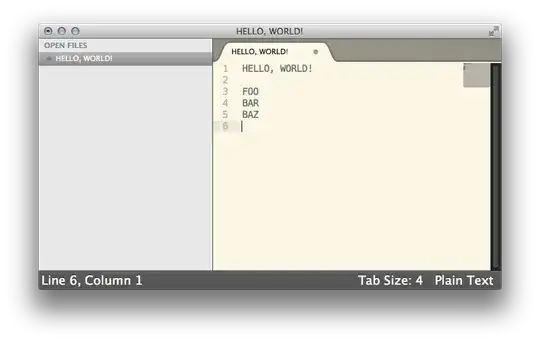
Before:

Screenshot

After:

Screenshot

Daniel Beck
  • 109,300
  • 14
  • 287
  • 334
  • How to preserve a cursor position? Because in my case it always goes to the last line. – user14416 Feb 24 '13 at 14:28
  • @user14416 Please note that ST2 has an arbitrary number of cursor positions and selections, and it's not exactly easy to determine the correct behavior for preserving any of those in a program that changes the file contents completely (e.g. line/column is insufficient, even if just normalizing tabs/spaces, offset from document beginning is complete useless as well, ...). You'll find the basic building blocks for preserving selection [in the first code block here](http://www.sublimetext.com/forum/viewtopic.php?f=6&t=3088), and it works fine with my example that only changes character cases. – Daniel Beck Feb 24 '13 at 14:50
  • Thx. Very helpful. As a result, I can save cursor position, but I cannot save current visible region. It always shifts a bit down.I use the following code to do this: 'origRegion = self.view.visible_region()', then do smth, and 'self.view.show(origRegion)'. – user14416 Feb 24 '13 at 15:06
  • @user14416 Note that regions are defined by the offset from the document beginning. If you reformat, the e.g. 5000th character is probably in a different line. Maybe `text_point` might help here, or [this earlier answer of mine](http://superuser.com/a/469240). Also, `viewport_position` looks promising. – Daniel Beck Feb 24 '13 at 15:11
  • Can you help me with this another problem plz here(http://stackoverflow.com/questions/15053679/python-code-inconsistency). I don't have a clue what is going wrong there. – user14416 Feb 24 '13 at 16:45
  • @user14416 I don't have the problem described there. I'm guessing something's wrong with surrounding code. – Daniel Beck Feb 24 '13 at 17:12
  • On Ubuntu it is necessary to escape the square brackets: tr [a-z] [A-Z] => tr \\[a-z\\] \\[A-Z\\] – Sean Dec 04 '13 at 13:23