4

This used to be simple to do in XP (example guide), but I can't figure out how to do it in Win7.

Currently extensionless files open by default in notepad (yes I have the show file extensions enabled).

When I try to use the Open With dialog to associate the Scite editor with such files, the Always use the selected program option is greyed out.

I've tried the XP trick of adding a . (dot) key in HKEY_CLASSES_ROOT. If I add the key OpenWithList to it, and then and a subkey scite.exe, the OpenWith context menu will show scite. But it still doesn't allow me to set it as the default viewer. Perhaps there's another registry trick I don't know of.

Note that simply renaming a file isn't always possible, for example I might be working on a foreign source code repository which has a posix-style extensionless README file.

1 Answers1

0

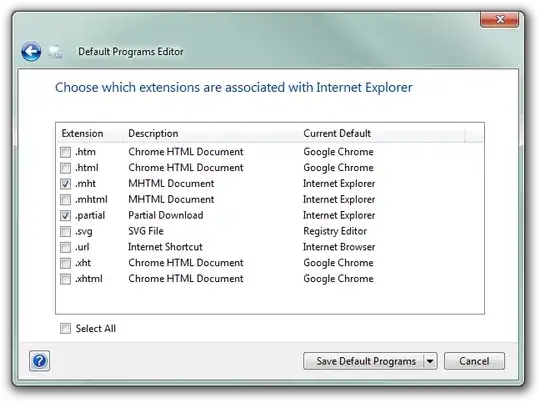
Use the Program Default Programs Editor to associate files to programs:

enter image description here

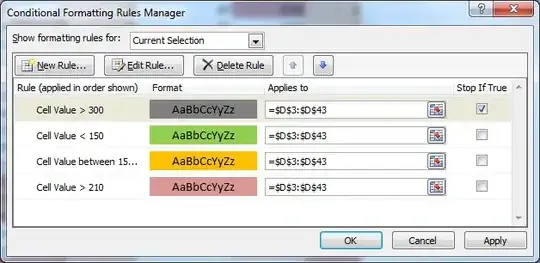
enter image description here

magicandre1981
  • 97,301
  • 30
  • 179
  • 245
  • 2
    Thanks. The way this worked out was: File Types Settings > Context Menu > (then select the "." file extension, or the user should add it), (then there should be an Open command listed, or the user should add it) > Edit Selected Command > and then hit browse to your application. Then hit next, and then "Set selected command as default". – Andrej Mitrović Mar 16 '13 at 22:05
  • Thanks [Andrej](http://superuser.com/users/47065/andrej). This is the only way I found to make it work in Windows 8. – Julius May 26 '13 at 23:38
  • 2
    Just as a side-note, an already existing SU answer turned out to be easier to use: http://superuser.com/a/13947/47065 – Andrej Mitrović Aug 28 '13 at 16:23
  • 1
    This answer doesn't answer the question, just gives a couple of screenshots. The response by @Andrej was the most helpful. – Jake Nov 07 '13 at 06:43