How do I create a Google Doc in landscape mode?
Asked
Active
Viewed 6.6k times

1 Answers
19
Go to File → Page setup... and change to Landscape there.
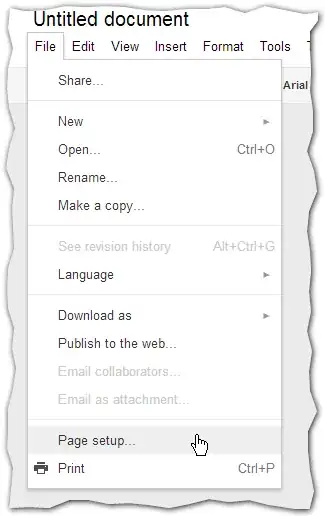
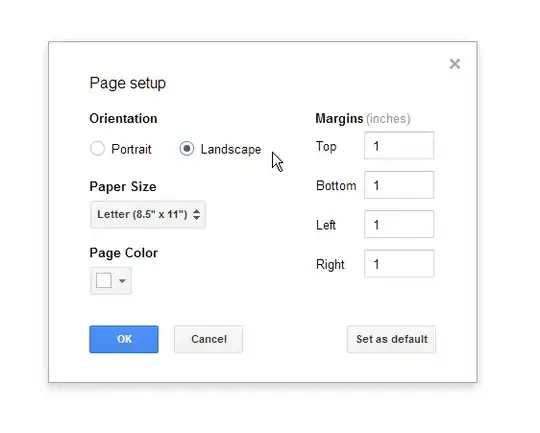
The current view does not appear to change but next time you go to print preview, you should see that it is formatted landscape.

Oliver Salzburg
- 86,445
- 63
- 260
- 306

William Hilsum
- 116,650
- 19
- 182
- 266
-
I have some lines that are longer than 73 characters long that I do not want to word-wrap. Putting a "Do not view this page in fixedwith view" warning at the beginning of the document seems primitive, but it looks like that's the best that can be done. – Thomas L Holaday Oct 20 '09 at 03:22