How do I configure my Juniper VPN client to work like the Windows VPN client to not be the default gateway for all traffic?
Asked
Active
Viewed 526 times

1 Answers
1
There may be another way to do this, but adjusting the Interface Metric under Advanced as seen in the following screenshots:
Click Properties
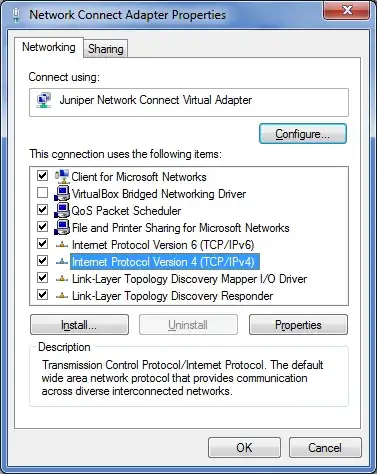
Click Advanced

Adjust the Interface Metric to, eg, 10

After doing this, adjust your WiFI and/or Ethernet Interface Metrics likewise (I have Ethernet set to 1, WiFi to 5, and the VPN to 10). This [should] ensure that only "appropriate" traffic goes over the VPN.

warren
- 9,920
- 23
- 86
- 147
-
Unfortunately this did not work for me (Windows 7, Pulse Secure Network Connect 8.2.7.54521). – RoG Aug 13 '18 at 07:35