To find the DN run the command dsquery group -name WebSiteUsers
If you have a domain controller set up for PowerShell (you should; it's awesome) you can run the command $WebSiteUsers = Get-ADUser -Filter {memberOf -RecursiveMatch CN=WebSiteUsers,OU=Lemings,OU=CorporateBranch,DC=example,DC=com' and $WebSiteUsers | Export-CSV to output to a CSV. You could also use the Compare-Object command like so:
$WebSiteUsers = Get-ADUser -Filter {memberOf -RecursiveMatch CN=WebSiteUsers,OU=Lemings,OU=CorporateBranch,DC=example,DC=com'
$OtherGroupUsers = Get-ADUser -Filter {memberOf -RecursiveMatch CN=OtherGroups,OU=Lemings,OU=CorporateBranch,DC=example,DC=com'
Compare-Object -ReferenceObject $WebSiteUsers -DifferenceObject $OtherGroupUsers -Property Name
This will kick out a list of names that are left out of one group or another. (Add -IncludeEqual if you want to see everyone.) This will make visual inspection much easier:
Jim Bob                      =>
Suzie Q                      <=
Harold Johnson               <=
If you want to add everyone that's a member of the other group to the WebSiteUsers group:
Compare-Object $OtherGroupUsers $WebSiteUsers | Where {$_.SideIndicator -eq '=>'} | foreach{Add-ADGroupMember -Identity WebSiteUsers -Members $_}
Might not hurt to add a -WhatIf on the Add-ADGroupMember command to double check it's going to do what's intended.
You can also get this list using the Active Directory Users and Computer snap-in. You'll need RSAT installed to do this from your workstation, otherwise you can remote in to a domain controller and open it.
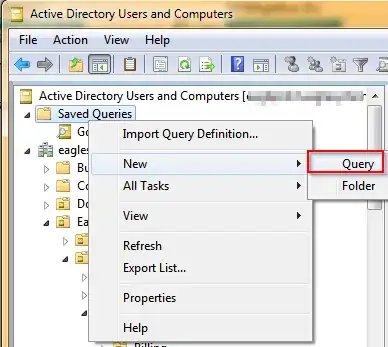
Right click on Saved Queries and select New, Query:
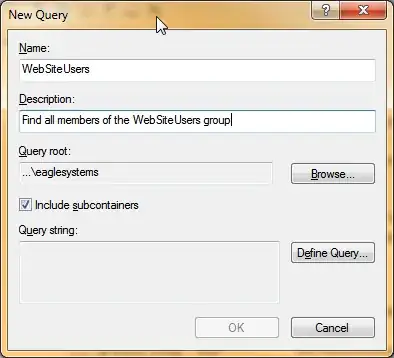
Give it an abitrary name and a short description, then click Define Query:
Under Find: select Custom Search. Click on Field and select User, Member Of
Enter the name of the group you'd like to include and click Add:
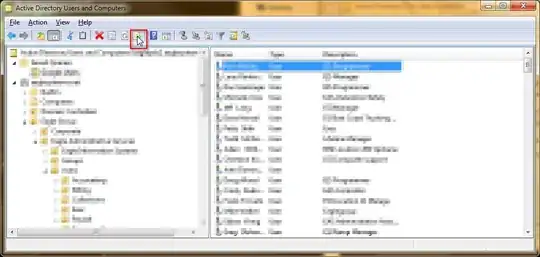
Now you can view this list in ADUC. To export it, click the Export List button. This will output to a tab delimited text file.