3

I have a 64-bit capable machine but accidentally installed a 32-bit version of Windows 7. I have the 64-bit ISO and/or extracted files but can't find a way to create a bootable USB because I can't run bootsect.exe against the 64-bit files.

Is there a way to create a x64 bootable USB from within an x86 environment?

Terry
  • 223
  • 1
  • 2
  • 6
  • If you have any 32-bit media available, you can use the `bootsect.exe` version from that disc image. Alternatively, I found a 32-bit version of `bootsect.exe` fairly easily off of Google... – Breakthrough Jun 10 '13 at 16:50

4 Answers4

4

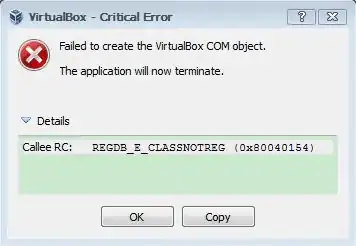
IIRC the Windows 7 USB DVD Download Tool will also fail right at the end (after spending all that time copying the files to the USB!) because it cannot execute the 64-bit version of bootsect.exe present in the ISO.

Rufus or similar should work just fine though:

1

Karan
  • 55,947
  • 20
  • 119
  • 191
  • 1
    If you want something [even simpler UI-wise](http://i.stack.imgur.com/4Q8rI.png) then there's [WiNToBootic](http://www.wintobootic.com), but it requires the .NET framework (shouldn't be a problem on any recent version of Windows). – Karan Jun 09 '13 at 03:30
2

Well apparently it's much simpler than I thought. I just extracted the 64-bit ISO files onto the USB and rebooted the machine from the USB and it picked up the autorun configuration.

Terry
  • 223
  • 1
  • 2
  • 6
  • While as dumb as it sounds, it worked for me. I was on Windows 8.1 32bit and created 64bit Bootable flash drive just by copying files from ISO after mounting it. – Kushal Aug 08 '14 at 12:17
0

Win 64 from 32 bit

This worked for the PC that I just built (somehow forgot to buy a CD/DVD drive for it - feel dumb) and it also worked for a coworkers laptop install.

I say Reinstate Monica
  • 25,487
  • 19
  • 95
  • 131
  • 1
    While this link may answer the question, it is better to include the essential parts of the answer here and provide the link for reference. Link-only answers can become invalid if the linked page changes. – Tetsujin Feb 16 '15 at 17:05
  • Definitely not spam, but please summarize the link. That way, your answer will remain useful even if the linked page goes down. – bwDraco Feb 16 '15 at 17:41
0

The key is to get a 32-bit version of Bootsect.exe* and place it in the same folder you installed Windows7-USB-DVD-Download-Tool.exe (WUDT) file. The default install directory of that file in Windows 8 is C:\Users\USERNAME\AppData\Local\Apps\Windows 7 USB DVD Download Tool\, then run that WUDT tool again.

*Finding a legitimate version of Bootsect.exe can be tricky. For some reason, MS doesn't make it readily available. However, if you happen to have an ISO for a 32-bit Windows installer, you can find it in there. Just copy it from the /boot subfolder in that ISO to the WUDT install directory, as explained above, and re-run WUDT.

kmote
  • 2,542
  • 3
  • 22
  • 28