7

I often want to take my laptop out into the field for astronomical observations. This requires that my eyes be fully adapted to the darkness. Dark adaptation takes up to an hour to fully develop and is easy destroyed by looking at a non-red light. A pure red light does not affect dark adaptation.

I'd like to somehow change settings on my computer so that it emits only red light. The effect would be the equivalent of putting a red film on the monitor, which is what I'll resort to if I can't change settings.

Anyone know how to do this in Windows 7/8?

  • 1
    I'm guessing the simplest would be to place a red filter over the screen. Either that or cut some wires in the display. Convincing every dodad in Windows to change it's color scheme is like cleaning the Augean stables -- by the time you get it done something will have changed. – Daniel R Hicks Jul 08 '13 at 01:19
  • 1
    (Someone might come up with a cable adapter for old RGB displays that would make everything red. But I don't think you'd get away with that with more modern displays.) – Daniel R Hicks Jul 08 '13 at 01:23

3 Answers3

6

Try Yaurthek's NegativeScreen:

NegativeScreen is a Windows application allowing you to invert your screen colors. Apart from accessibility matters, this software is especially useful when you are surfing on the internet in a dark room, and the screen is dazzling you.

NegativeScreen was designed to work without impacting the performances and fluidity of your computer. Unlike the Windows Magnifier, which is also capable of such color inversion, it was specifically designed to be easy and convenient to use.

Different inversion modes are provided, including “smart” modes, allowing black and white inversion, while keeping colors (about) the same.

The Win+Alt+F9 = Negative Red and Win+Alt+F10 = Red inversion modes should help you. If these are not to your liking, the app even allows you to add your own colour effects using custom colour matrices.

Karan
  • 55,947
  • 20
  • 119
  • 191
1

If only Red is that important, then I would just go with the red film.

The best you could do otherwise would probably be something like:

  • Turn the backlight all the way down (Best if in the BIOS)
  • Disable any smart or auto brightness software in Windows
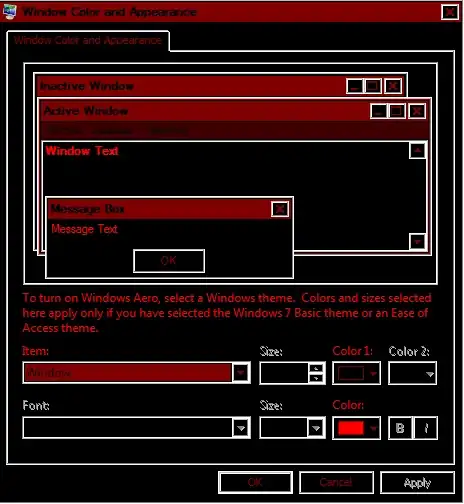
  • Enable one of Windows High Contrast modes (Black background, I am thinking High Contrast Black)
  • Go into the advanced settings and tweak everything to black / red
  • Find themes for any applications you use if possible that can over right bright colors.

The result in Windows:

enter image description here

However, the problem is that unless you get themes or programs that use Windows colors, you are going to have issues. And webpages will be nearly impossible to predict, for example Google:

enter image description here

Austin T French
  • 10,505
  • 27
  • 42
0

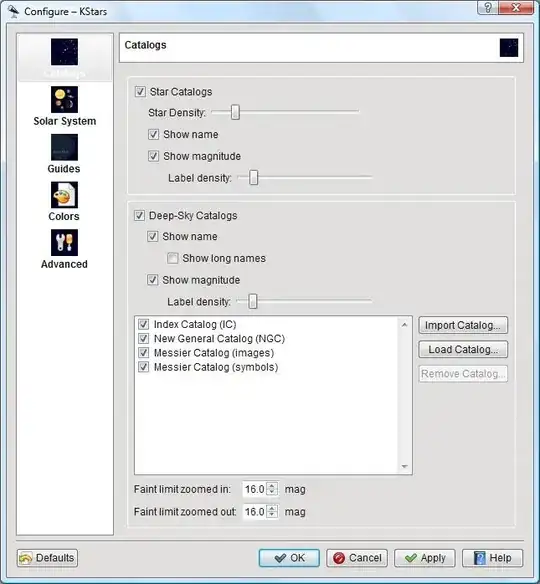
You can use the kStars.

imagem1

KStars can be installed on a number of platforms, most notably Microsoft Windows and GNU/Linux.

Or create a desktop theme suitable for your case.

stderr
  • 10,264
  • 2
  • 32
  • 49