1

I opened an unknown application with Notepad++ and now every file with that extension is opened by Notepad++ (it was set to always use the selected program to open this kind of file). How do I remove the Open with Notepad++ and set it to "Windows can't open this file", so I can use Web services?
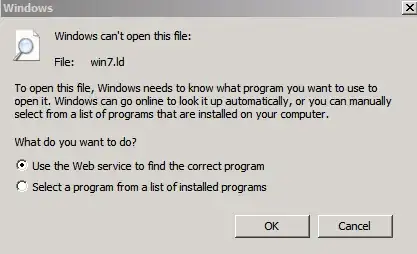
Enter image description here

malakrsnaslava
  • 2,753
  • 4
  • 23
  • 37

1 Answers1

1

You can remove its association with Notepad++ from Default Program Settings in the Control Panel, but you must select a New Program. You cannot leave any file type blank or disassociated. See Change Windows Default Programs and File Type Associations

  • 1
    I don't think this solves the problem. The other Super User question, *[How do you remove a default program association for file types in Windows 7?](http://superuser.com/questions/49615)* may be the way to go. – Peter Mortensen Sep 05 '13 at 15:40