5

When eg. scrolling, remote desktop is very slow because it tries to render every change. Is it possible to ask remote desktop to drop frames when it laggs behind too much, similar to -framedrop in mplayer? How?

(I'm not usually interested in how all the animation happens in a scroll/keytypeing, would be enough to see the next less-changing state / still image.)

DavidPostill
  • 153,128
  • 77
  • 353
  • 394
n611x007
  • 6,336
  • 14
  • 61
  • 88

1 Answers1

2

You can tweak the RDP connection settings before connecting to the desired host.

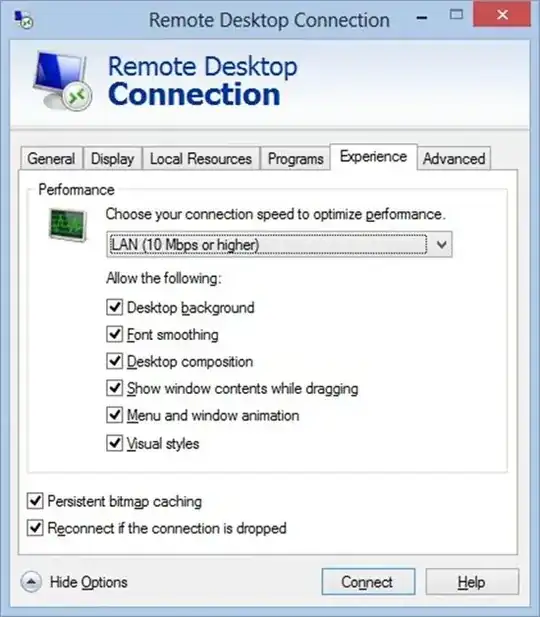
Run mstsc.exe but before you click connect switch to the Experience tab

enter image description here

Play with the settings until your connection doesn't feel so sluggish. You can save the settings as a file via the General tab to connect to the system with your settings.

Scott Chamberlain
  • 30,694
  • 7
  • 96
  • 109
megamorf
  • 2,363
  • 15
  • 21
  • 1
    Thanks, but I think this won't help me. No amount of menu animation and desktop background removal will skip me every color change in a CSS transition, or every cursor position change in an editor. What I'm looking for is more like a framedrop. I'm already running the lowest (least demanding) possible settings in "Experience" tab. – n611x007 Aug 05 '13 at 04:48
  • I have the same problem, I would like to make it skip frames instead of waiting for it to broadcast all of them – drypatrick Feb 25 '23 at 09:01