I set up a new user for somebody to work on my computer, and I ended up having to reformat my harddrive (Win 8/x64). When all my stuff was restored through carbonite, I noticed it is all on the user I created for this person. How can I either change the username or copy the contents to my main profile?
Asked
Active
Viewed 321 times


3 Answers
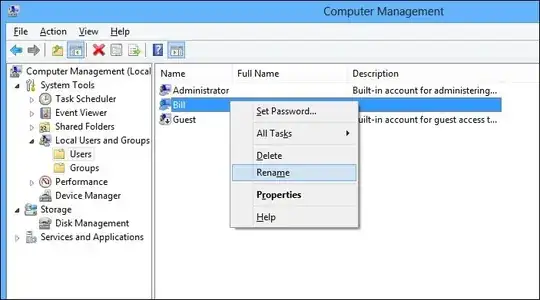

0
Control Panel - User Accounts - Change your account name.
@BillP3rd - The version of Windows 8 the OP is running may not have that option. I'm running vanilla Windows 8 on my laptop and the Local Users and Groups folder does not exist (and yes I am using an Admin account).

Yass
- 3,594
- 19
- 16
-1
If you have alocal account go to control panel and accounts and just rename your account.
Then open a cmd and type
net user administrator /active:yes
and reboot.After reboot login to the admin account and open cmd again
ren C:\Users\oldname Newname
Next open "Regedit" and go to edit--> search and search for your old account's name.wherever you find it just replace it After youre done with regedit open cmd again and run:
net user administrator /active:no
Reboot into your account

AperiV
- 13
- 3