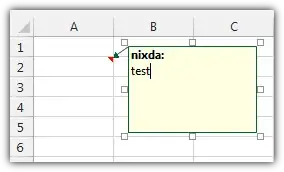
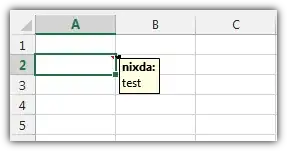
It's incredibly frustrating to resize the box every time I put a comment. Anybody know the shortcut, or can provide a clue so I can script this?
Asked
Active
Viewed 2,423 times
5

-
There's [this](http://chandoo.org/wp/2009/09/11/format-comment-box/) link, but I'm not sure by what you mean by "comment boxes" – Doktoro Reichard Sep 10 '13 at 15:21
1 Answers
2
I use this VBA macro to mass-resize comments when its necessary. As far as I know, you cannot change the default size of comment boxes.
I played with the Worksheet_SelectionChange event to trigger the resizing macro automatically, but that's a terrible idea when it comes to sorting/moving large ranges.
Sub AutoFitComments()
    Application.ScreenUpdating = False
    For Each MyComment In ActiveSheet.Comments
        With MyComment
            .Shape.TextFrame.AutoSize = True
            .Shape.Top = .Parent.Top + 3
            .Shape.Left = .Parent.Offset(0, 1).Left + 3
            .Shape.Placement = xlMove
        End With
    Next
    Application.ScreenUpdating = True
End Sub
Insert the code in your workbook's VBA editor. Press Alt+F8 » Enter to run the macro quickly.

nixda
- 26,823
- 17
- 108
- 156