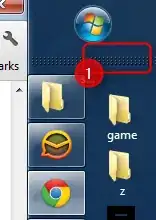
In a multi-monitor setup of Windows 8.1, both monitors have a Start Button.
How can I configure Windows 8.1 so that only one monitor has the Start Button?
In a multi-monitor setup of Windows 8.1, both monitors have a Start Button.
How can I configure Windows 8.1 so that only one monitor has the Start Button?


As per: How to hide "Start" button in Windows 8.1? you cannot disable via windows. Plus, none of the solutions appeared to focus on the multi monitor aspect.
I use Ultramon. It is a program I used for nearly 10 years.
After performing the below, I have a task bar on each monitor, only displaying in the taskbar what is displayed on that monitor and no start menu on each monitor except the main monitor.
Properties of task bar. Turn off "show taskbar on all displays"

Install ultramon - In options, turn on Smart Taskbar